
Introduction
Each laptop has a motherboard which is quite critical in the operation of the laptop. It connects several parts such as the processor, RAM, and many more, to work as a unit. A failure of the motherboard would mean a similar failure of the laptop to work or performance problems.
Selecting a suitable motherboard is quite a challenge as the parts vary from one model to another. There are important aspects such as the chipset support and the correct BIOS that one needs to look out for when making this decision. Making the wrong selection will be very costly in terms of money and time.
In this complete buying guide, one can get all the information needed to place a successful order for a motherboard. It does not matter if one is a technician, IT expert, or a personal owner of the laptop; the guide is going to help him make the best decision.
It is essential to ensure that one buys genuine spares and also seeks the help of SPS Laptop Parts India Pvt. Ltd.
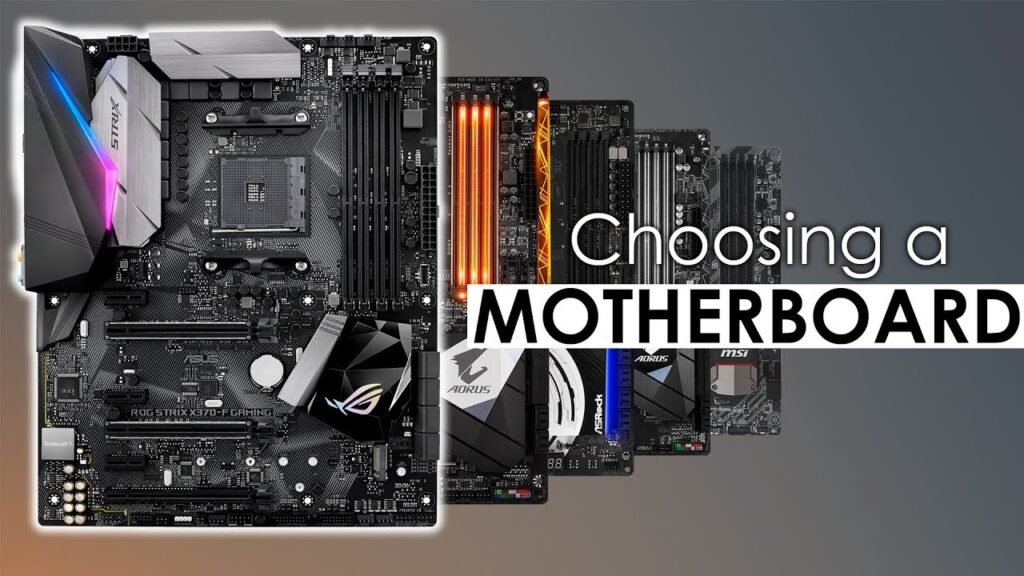
What Is a Laptop Motherboard?
The motherboard is the most important PCB that you can find in a laptop (helping all the components to communicate to one another), thereby also become one of the most important parts in a computer. The motherboard communicates with all components such as:
- Central processing unit (CPU)
- Random access memory (RAM)
- Solid-state or hard drive
- Graphics processing unit (GPU)
- Screen
- Keyboard
- Power sources like the charger or battery
- Connections like USB ports
- Wireless connections like Wi-Fi connections
As a result of the complexity and size of the motherboard, you often find that many laptops manufacture a special it just for that specific laptop; hence not the same for other laptops. One has to consider the distinct compatibility issues that arise from laptops where processors are soldered to the board.
Why Choosing the Right Laptop Motherboard Is Important
If the wrong motherboard is bought, laptop failures could occur as follows:
- Laptop not turning on
- Malfunction in display
- Malfunction in keyboard or touchpad
- Charging problems
- BIOS problems
- Incompatibility with CPU
- RAM cannot be detected
Motherboard replacement could cause more expenses. Therefore, ensure compatibility.
Symptoms of motherboard failure are as follows:
- Laptop not powering up
- Unexpected shutdown
- Black screen
- Charging LED not functioning
- USB ports failing
- Continuous beeping sound
- Burnt components
- Water damage
- Problems due to short circuiting of power supply
Make sure to check that the problems were not caused by battery, RAM, storage, or charger failing before deciding to change the motherboard.
Step One: Identify Your Laptop Model
The first step is the most crucial step.
Check:
- The sticker on the bottom of the laptop.
- BIOS information.
- Manufacturer’s label.
- Your original invoice.
- System information in Windows.
- Examples of laptop models include:
- HP EliteBook 840 G5.
- Dell Latitude 7490.
- Lenovo ThinkPad T480.
Do not attempt to purchase a motherboard based purely on the looks.
Step Two: Check Motherboard Part Number
Each motherboard has its own unique part number located on the very surface of the printed circuit board.
Examples of motherboard part numbers include:
- LA-F841P.
- NM-B701.
- DA0X8AMB6D0.
Always ensure compatibility by matching the following parts:
Make of the motherboard.
- Board revision.
- Part number.
- BIOS version.
Step Three: Confirm Processor Compatibility
In many cases, the CPU for laptops is firmly soldered onto the motherboard.
Examples of successful soldered CPUs include:
- Intel Core i3.
- Intel Core i5.
- Intel Core i7.
- Intel Core Ultra.
- AMD Ryzen 3.
- AMD Ryzen 5.
- AMD Ryzen 7.
If the laptop uses an Intel Core i5 motherboard, this type of motherboard can be replaced with a motherboard from a non-Intel Core i5 laptop model provided both use a compatible configuration.
Step 4: Check Compability of RAM
Different types of laptops use different types of RAM:
- DDR3
- DDR3L
- DDR4
- DDR5
Other crucial specifications:
- Maximum RAM Capacity
- RAM Speed
- Number of RAM slots
If we use unsupported RAM, the system may not boot.
Step 5: Check Compatibility of Graphics Card
Different types of laptops have different types of graphic cards:
- Integrated Graphics
- NVIDIA Graphic Card
- AMD Radeon Graphic Card
If the original laptop had dedicated graphics, be sure to buy the same model for replacement.
Do not use non-GPU motherboard in case an original GPU motherboard was already present in the system.
Step 6: Check Compatibility of Display
Different types of display connections are available for laptops:
- 30 Pin Display connector
- 40 Pin Display connector
- eDP Connector
- LVDS Connector
If you use wrong type of connection, the display may not function properly.
Step 7: Check Compatibility of Storage
Several types of storage devices can be used in modern laptops:
- SATA SSD
- M.2 SATA SSD
- PCI SSD
Make sure that both motherboards are compatible with any storage you are planning to replace.
Step 8: Compare Specification of Both Motherboards
How original motherboard work for us?
Pros:
Reliable and effective in usage
Cons:
Expensive
Compatible Motherboard
- Pros
- Less expensive
- Available easily
- Cons
- Has chances of compatibility problems
- Restrictions on BIOS
- Different pin configuration
Always prefer OEM compatible motherboards whenever you need to.
New vs Refurbished Laptop Motherboards
New Motherboard
Pros
- Increased lifespan
- Higher reliability
- No repair history for the part
- Refurbished Motherboard
Lower cost
- Best for older laptops
- It is better to buy refurbished boards only from verified suppliers who check and test them for their functionality.
Popular Laptop Logic Board Manufacturers
There are reliable manufacturers of laptop logic boards, such as:
- HP
- Dell
- Lenovo
- Acer
- Asus
- Apple
- MSI
- Samsung
- Toshiba
- Fujitsu
Make sure to always select the logic board that is designed for a specific model rather than just based on the brand.
How to Ensure You Purchase the Right Logic Board
Here are some important tips to follow:
- Make a careful comparison of the pictures of logic boards.
- Do a part number verification.
- Check processor compatibility.
- Verify the location of connectors.
- Choose a reputable dealer.
- Request for warranty terms.
- Read the return policy carefully.
- Check for BIOS compatibility if applicable.
Where to Buy Genuine Laptop Motherboards in India
Finding an authorized seller is just as important as finding the right motherboard.
SPS Laptop Parts India Pvt. Ltd. is a reputable seller of authentic laptop parts in India. At Lapzo India, buyers will find information about laptop parts including motherboards for different brands including HP, Dell, Lenovo, Acer, Asus, Apple, MSI, Samsung, and many more.
The available products include:
- Laptop motherboard
- Laptop Screen
- Laptop Battery
- Laptop Keyboard
- Laptop Charger
- Laptop Cooling fan
- Laptop Hinges
- Laptop Touchpad
- Laptop SSD
- Laptop RAM
- Laptop Accessories
You can visit https://lapzoindia.com/ to discover the new range of authentic laptop parts.
Frequently Asked Questions (FAQs)
1) Can I replace my laptop motherboard by myself?
If you are experienced in performing laptop repairs and have the right tools for it, then it can be done by you. However, laptop motherboards are highly sensitive and usually require complete disassembly, thus making professional installation the best option.
2) Is it possible for any motherboard to fit my laptop?
No. Laptop motherboards are strictly model centric. You need to ensure that you are purchasing the same model and motherboard part number before going ahead.
3) How can I tell if my motherboard is faulty?
Some of the signs of a bad motherboard are failure to power on, no display, problems with charging, USB ports not working, overheating, and more. A technician can help you diagnose the fault accurately.
4) Is it better to repair or replace the motherboard in the laptop?
Small faults can be fixed but if the motherboard is severely damaged, the best option is to replace the motherboard.
5) Where can I buy a genuine motherboard?
You can buy a genuine laptop motherboard from SPS Laptop Parts India Pvt Ltd. at https://lapzoindia.com/.
Final Thoughts
It is important to select the right laptop motherboard to restore the performance and reliability of your laptop in the long-run. You need to check for the laptop model, motherboard part number, CPU compatibility, RAM support, storage interfaces and connector specifications to avoid possibilities of making mistakes while purchasing the correct replacement part. For original laptop motherboards and spare parts, you can visit SPS Laptop Parts India Pvt. Ltd. on https://lapzoindia.com/.