
Introduction
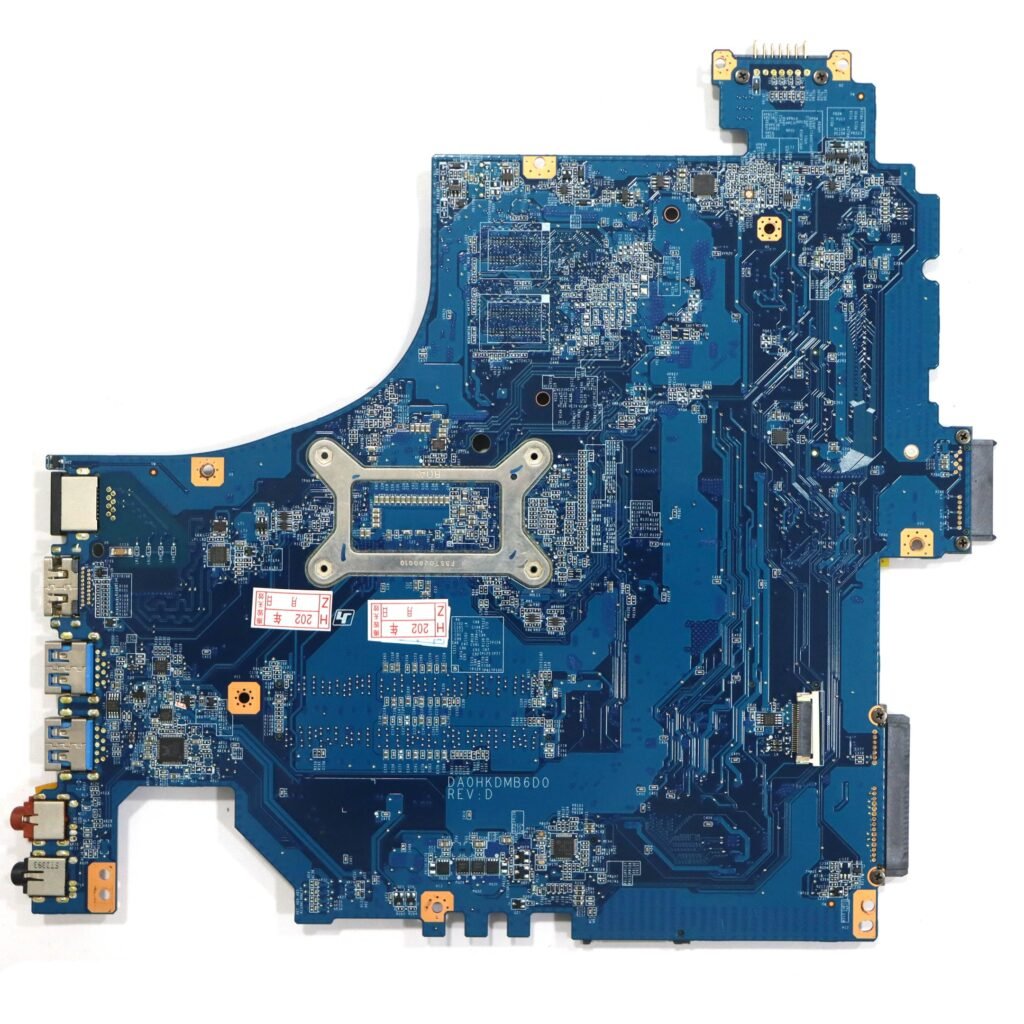
Motherboards are the most important parts of laptops. They are responsible for letting all the parts of your laptop work together, which includes the RAM, CPU, storage devices, display, keyboard, battery, cooling fan, Wi-Fi, USB ports, VGA, and others. Failure of the motherboard usually results in serious problems like failure to boot, freezing, and breakdown of other laptop components.
In the case of Lenovo laptops, selecting the right Lenovo Laptop Motherboard is critical. Laptop motherboards do not simply differ in dimensions like from the desktop motherboards. Instead, they are unique for each model of Lenovo laptop. For instance, different Lenovo laptops under the same brand and series will have different Lenovo laptop motherboards despite being manufactured by one manufacturer.
If you choose the wrong motherboard, you will waste your time and money in the process of pursuing a suitable option. It is therefore important to familiarize yourself with those issues that you should take into account before buying the Lenovo laptop motherboard. This ultimate guide will enable you to choose the right motherboard suitable for you.
Why Choosing the Right Lenovo Laptop Motherboard Matters
The motherboard serves as the communication hub of your laptop. In other words, all the hardware components depend on it to work properly as needed. If one somehow buys an incompatible motherboard, the laptop may experience some problems like:
- The laptop does not turn on
- The display is blank
- The keyboard and/or mouse are malfunctioning
- Snags in charging
- USB ports not working
- Heat-related issues
- Random shutdowns
- Problems with BIOS
Incompatibility of processors.
Thus, choosing a proper motherboard is necessary because repairing a motherboard is one of the most expensive repairs on laptops.
1. Determine the Model Number of Your Lenovo Laptop
When considering buying of a motherboard, be sure to know which Lenovo laptop you own.
You can determine this through:
- On the underside label
- In the BIOS menu
- In Windows system info
- On your bill
- On the Lenovo support page
Here are some examples:
- Lenovo ThinkPad T450
- Lenovo ThinkPad X1
- Lenovo IdeaPad 330
- Lenovo Legion Y540
- Lenovo Yoga C930
- Lenovo V130
You should avoid buying motherboards based on its exterior since the internal components could be different even with similar outside look
2. Ensure you get the right Motherboard ID
Each Lenovo motherboard has its own distinct board or FRU (field replaceable unit) number published in plain sight on the motherboard.
Some examples of board numbers include:
- NM-B701
- LA-G341P
- DA0Y0AMB8D0
- You should check:
- Board Number
- FRU Number
- Revision number
- Manufacturer code
To ensure a good fit, make sure you got the right part number.
3. Ensure Processor Compatibility
Most Lenovo laptops have processors soldered permanently to their motherboards.
Some common processors are:
- Intel Core i3
- Intel Core i5
- Intel Core i7
- Intel Core i9
- AMD Ryzen 3
- AMD Ryzen 5
- AMD Ryzen 7
After replacing an Intel Core i5 motherboard, it does not guarantee that an Intel Core i7 motherboard will work. Always check processor generations and chipset compatibility.
4. RAM Support Verification
Different Lenovo motherboards support different types of RAM.
You should check for the following types of RAM:
- DDR3
- DDR4
- DDR5
While checking RAM specifications, remember to note down the following details also:
- RAM maximum capacity
- RAM clock speed
- Number of RAM slots
Certain types of Lenovo laptops come with RAM soldered on the motherboard and therefore cannot be upgraded later.
5. Graphics Card Compatibility Check
Lenovo offers laptops with the following types of graphics cards:
- Intel integrated graphics cards
- AMD Radeon graphics cards
- Nvidia GeForce graphics cards
If you are replacing the original motherboard of your laptop with another motherboard, ensure that the new motherboard comes with a graphics card that is of the same model as the old motherboard.
6. Storage Compatibility Verification
Storage compatibility is another key factor that you must consider.
You should check whether the motherboard supports any of the following types of storage:
- SATA HDD
- SATA SSD
- M.2 SATA SSD
- NVMe PCIe SSD
You must make sure that there is support for your existing storage device on the new motherboard.
7. Display Connector Compatibility Verification
Different models of Lenovo laptops use various types of display connectors.
There are various types of connectors available:
- 30 Pin
- 40 Pin
- eDP
- LVDS
Using an incorrect connector type may lead to the blank display.
8. Comparison of Original and Compatible Motherboard
Original Lenovo motherboard has the following advantages:
- Great compatibility
- Better performance than the competitors
- Manufacturer-tested for reliability and durability
However, the original motherboard has some downsides too. It is generally more expensive.
Compatible motherboard has the following advantages:
- Much lower price
- Easy availability
On the downside, you may face some BIOS-related issues while using compatible motherboard.
9. New vs Refurbished Motherboards
- New Motherboard
- Longer lifespan
- Factory condition
- Better reliability
- Warranty support
- Refurbished Motherboard
- Lower price
- Tested before resale
Refurbished motherboards should only be purchased from reliable sellers like SPS Laptop Parts India Pvt. Ltd. to ensure quality.
10. Purchase from a Trustworthy Supplier
Choosing the right supplier is as important as selecting the correct motherboard.
A trustworthy supplier gives:
- Genuine products
- Warranty
- Quality checks
- Customer support
- Secure payment
Lapzo India is a trustworthy place to find genuine laptop spare parts in India. You can find Lenovo laptop motherboards, screens, keyboards, batteries, chargers, cooling fans, hinges, SSDs, RAMs, and other accessories at https://lapzoindia.com/.
Common Mistakes to Avoid
Most buyers make these mistakes:
- Buying without checking the laptop model
- Ignoring the motherboard part number
- Choosing the cheapest option
- Buying from an unknown seller
- Not checking warranty
- Not caring about the BIOS compatibility
- Forgetting the RAM support
- Not matching with GPU version
- Being careful about these things will save time and money.
Reasons for doing business with us at Lapzo India.
SPS Laptop Parts India Pvt. Ltd. is considered to be one of the best suppliers of laptop spare parts in India.
Our range of products includes:
- Original Lenovo laptop motherboards
- HP laptop motherboards
- Dell laptop motherboards
- Acer laptop motherboards
- Asus laptop motherboards
- Laptop batteries
- Laptop screens
- Laptop keyboards
- Laptop chargers
- Cooling fans
- Hinges
- SSDs
- RAM
- Laptop accessories
What makes our customers choose us?
- Branded Products
- Best Prices
- National Delivery Services
- Specialized Customer Service
- Safe Online Shopping
- Retail and Wholesale Services
To see the entire range of our spare parts for laptops, log on to https://lapzoindia.com/.
Summary
Selecting the right Lenovo Laptop Motherboard is critical in reinstating the laptop’s performance and ensuring long-term durability of the laptop. It is important to check and verify the model number of the laptop along with the motherboard part number, processor compatibility, RAM compatibility, graphics options, storage interface, and the display connector. Buying products from recognized and authorized dealers helps in avoiding purchase of fake or incompatible products.
For original Lenovo laptop motherboards and spare parts, SPS Laptop Parts India Pvt. Ltd. is the best place to go as it provides high quality products at reasonable price. You can visit the website, lapzoindia.com for any kind of laptop parts and accessories.