
Introduction
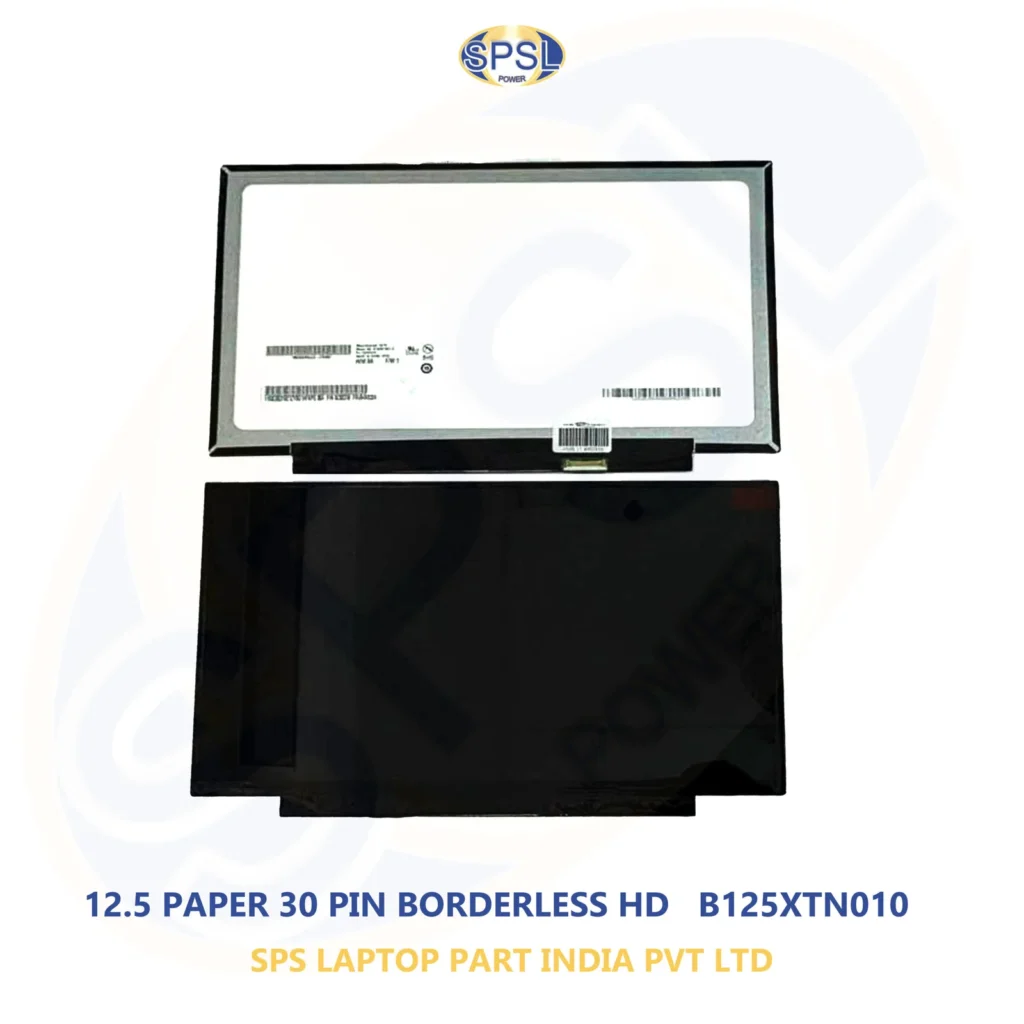
The screen of the laptop is one of the most important parts of a laptop, which helps people in viewing documents, websites, videos, software, presentation, etc. There could come the time when the laptop screen gets damaged, broken, starts flickering or simply does not work properly. In such cases, getting the new screen is a practical choice.
But sometimes, getting the right replacement screen at an economical price is not an easy task. The customers have to keep many things in mind such as the size, resolution, connection type, panel, compatibility, quality, etc., while purchasing the screen. Buying a cheap laptop screen might cause the issue of compatibility and quality of display.
If you are looking for a laptop screen with the best price, then you must buy the correct screen for your laptop and compare the quality and pricing before making any decisions.
SPS Laptop Parts India Private Limited is a supplier of laptop spare parts and other related items such as laptop screens for various laptop models and brands. The customers can compare their specifications and purchase the correct laptop screen as per their requirements
Why Is a Good Laptop Screen Important?
The LCD screen of your laptop greatly impacts your ability to use your computer conveniently. No matter whether you are working in an office, having online classes, browsing the web, writing a document, watching movies, or creating something, your display has great importance in all of these tasks.
The issues that your laptop screen can create include:
- Damage to display screen
- Black screen
- Flicker
- Horizontal/Vertical lines
- Dim screen
- Color errors
- Dead pixels
- Distortion in screen display
- Backlighting issues
- Flashing screen
In some scenarios, your laptop itself may work fine while the screen might not work. In such cases, replacing the screen would be more cost-effective than buying a whole new laptop.
Common Reasons for Laptop Screen Damage
There are various reasons why a laptop’s screen may be damaged. Being aware of the causes can help avoid the same problems again in the future.
Dropping the Laptop
The screen of the laptop can get damaged if the device falls from the table, bed, chair, or laptop bag.
Pressure on the Screen
Placing something heavy on the laptop and putting any kind of pressure on the screen can cause damage to the screen of your computer.
Closing the Laptop with Something Inside
Headphones, pen, or any other small object can get stuck under the keyboard and apply pressure to the display screen.
Hinges and Damages
Damaged or loose hinges can add extra strain on the display screen assembly. Sometimes, it can lead to damage to the screen itself or to the screen cable.
Age and Wear and Tear
An older laptop screen can start causing problems due to age, such as dimming of the backlight, flickering, color problems, etc.
How to Find the Right Laptop Screen
When buying a new display, one needs to determine precisely what type of display is needed for their particular laptop.
Model number is among the most important data that one can use. One can easily find a model number of a laptop either on its bottom or by using system information.
For instance, laptop models produced by Dell, HP, Lenovo, Acer, ASUS, Apple, and many others can have different screen options. Even two laptops with very similar names might use different screens.
Thus, it is necessary to check compatibility before making an order.
Important Specifications to Check
Screen Size
There are several sizes available for the screen of laptops. Some of the sizes include 13.3 inches, 14 inches, 15.6 inches, and 17.3 inches.
The new screen should fit in well with the physical size of the laptop screen.
Resolution
This aspect determines the number of pixels that appear on the screen.
Some common resolutions include:
1366 x 768
1600 x 900
1920 x 1080
High resolutions on some selected models
It is determined by the display resolution of the laptop.
Connector
The connector is very crucial. The new screen may match the physical size but still cannot work due to the type of connector.
There are different types of connectors for laptop screens, thus the need to get this information.
Refresh Rate
The majority of normal laptop screens are designed to work with standard refresh rates, but some special gaming/performance laptops employ increased refresh rates.
In case your laptop originally uses a high refresh rate screen, ensure that the replacement also meets this requirement.
Touch Screen or Regular Screen
Certain laptops are outfitted with touch screens, while others have regular screens.
When you need to replace a touch screen on a laptop with another touch screen.
Panel Type
There are various types of display panels which differ in viewing angles, brightness, contrast, and colors.
The new display panel should meet your requirements.
Laptop Screen at the Best Price: Should You Buy Online?
Purchasing a laptop screen on the Internet has its advantages since it allows for comparing many products and their specifications prior to buying.
Still, one should be cautious about compatibility when buying an item online.
Prior to purchasing a laptop screen that offers the best deal, it is necessary to know:
- Laptop manufacturer
- Model of laptop
- Screen size
- Screen resolution
- Type of connector
- Location of connector
- Screen panel type
- Touch or non-touch screen
- Configuration
It may happen that the cheapest available screen may not suit your laptop.
Benefits of Buying a Replacement Laptop Screen
There are many reasons for which simply repairing the screen could prove beneficial.
Saving Money
In case everything else on the laptop is functioning well, such as the motherboard, the processor, the memory and all the other parts, a simple screen replacement could be much cheaper than buying a whole new laptop.
Laptop Lifespan
The repair will help you keep the laptop in use for longer.
This is especially beneficial for students and professionals who own a laptop which already suits their needs and requirements in terms of performance.
Reducing Waste
By keeping a functional laptop and fixing it when there are problems, one can actually cut down electronic waste.
Instead of throwing away a perfectly good laptop because of a broken screen, one could just replace the screen and save money.
Solution
A replacement screen will provide the same functionality as before, without the need for a brand new computer.
Laptop Screens for Different Brands
Screens for replacement can be found for various laptop brands.
Dell Laptop Screens
The company Dell manufactures a great variety of laptops for household, business, and office usage. Replacement screens are available for various Dell models.
HP Laptop Screens
HP laptops are used by many students, businesses, professionals, and households. Customers have the possibility to get replacement screens for various HP laptop lines.
Lenovo Laptop Screens
Lenovo laptops come in different ranges, such as business, consumer, and performance laptops. It is important to select the right replacement screen depending on the specific Lenovo model.
Acer Laptop Screens
Acer laptops serve for education, office usage, entertaining, and playing computer games. There can be different replacement screens depending on the laptop model and type.
ASUS Laptop Screens
ASUS offers various laptop models which differ in screen size and characteristics. The exact ASUS laptop model should be identified before getting replacement screens.
Apple Laptop Screens
There are special display assemblies and parts for each Apple laptop model. The exact MacBook model should be established first.
How Much Does a Laptop Screen Cost?
The cost of laptop display varies with several factors.
They may include:
- Laptop Brand
- Laptop Model
- Size of Screen
- Resolution
- Panel Type
- Supports Touch Screen
- Refresh Rate
- Connection Type
- Original Display/Compatible Display
- Availability
- Demand
Due to these variances, there cannot be a fixed cost of each and every laptop display.
Consumers who are interested in purchasing a laptop display at the cheapest cost need to compare products according to their specifications and not only by their cost.
For instance, two screens of 15.6 inches can have different specifications such as different resolution, connection, panel type, and refresh rate. Hence, the cheaper product might not be the right one.
Original vs Compatible Laptop Screens
Another critical factor is whether you should buy the original manufacturer’s display or compatible panel replacement.
The original manufacturer’s display would have been designed for that laptop model and will have similar specifications like the one installed from the factory.
Compatible panels can be made by different manufacturers but would be designed to function well with a certain laptop model.
What one chooses would depend on the customer’s budget and specifications.
It is advisable for the consumer to be sure about the exact specifications of the display he or she is going to purchase.
Why Choose SPS Laptop Parts India Private Limited?
SPS Laptop Parts India Private Limited deals with the supply of laptop spare parts and associated products.
Laptop screens belong to an important category for those customers who wish to replace their broken screens rather than purchasing new laptops.
Customers can provide information about the laptop brand, model number, and screen size along with other specifications to find a compatible alternative.
The company ensures that it offers realistic solutions to its customers regarding laptop parts and refurbished laptop products.
Customers must ensure the compatibility of their desired product before buying the same.
Laptop Screens for Businesses and Bulk Buyers
Laptops screens may be required in bulk by companies, computer shops, repair shops, educational institutions, and resellers. Bulk buyers may require screens for various laptop models and brands. In such cases, it will be much easier to source screens from a laptop parts supplier.
Before buying in bulk, the following is required:
- Screen models needed
- Quantity
- Size of the screen
- Resolution
- Connector specification
- Touch screen or not
- Budget
- Delivery specifications
Bulk buying will also enable resellers and businesses to stock laptop parts.
Tips to Protect Your New Laptop Screen
Following purchase of a new display, there are measures to prevent future damage.
A Laptop Backpack
Your laptop should always be carried in a laptop backpack that is well-padded.
No Heavy Objects
You should not keep any heavy objects above your laptop.
Laptop Closure
Do not put anything between the keyboard and display when you close your laptop.
Cleaning of the Screen
You should clean the laptop screen using a soft microfiber cloth.
Do Not Bend the Hinges
You should never bend the laptop screen outside of its bending capacity.
Common Mistakes When Buying a Replacement Screen
Mistakes made by customers arise due to concentrating on the price alone.
A common mistake is ordering a screen depending on the size of the screen alone. For instance, a 15.6-inch screen may vary in terms of resolution and port type.
Other mistakes include neglecting to find out if the screen is a touch screen or non-touch screen.
The customer could also fail to look at the location of the ports.
Thus, it is important to double-check all the specifications before making an order.
Why Price Should Not Be the Only Factor
Everyone wants to get a laptop screen at the lowest cost possible; however, the most inexpensive product may not necessarily have the best value for the money.
Some factors to consider when making a purchase include:
- Compatibility
- Quality
- Screen specs
- Condition of the product
- Warranty
- Supplier reliability
- Return/replacement policies
- Total value
An extra-cost compatible screen may be a better deal than an inexpensive incompatible screen.
Conclusion
A broken laptop screen does not necessarily mean that one has to change the entire laptop since when other parts are functioning, one could just change the display.
When looking for a laptop screen at a cheaper cost, one should consider factors such as the compatibility apart from the cost. This will involve looking at the model of the laptop, screen size, the resolution, connectors, types of screens, touch screen, and among others.
Regardless of whether one is a student, professional, businessman, or computer dealer; getting the appropriate replacement display could help one continue using the laptop without having to buy a new one.
SPS Laptop Parts India Private Limited provides laptop spare parts and related accessories to customers and organizations. When looking for a suitable laptop display, it is advisable to consider the laptop model and the specifications of the screen before opting for replacement.