
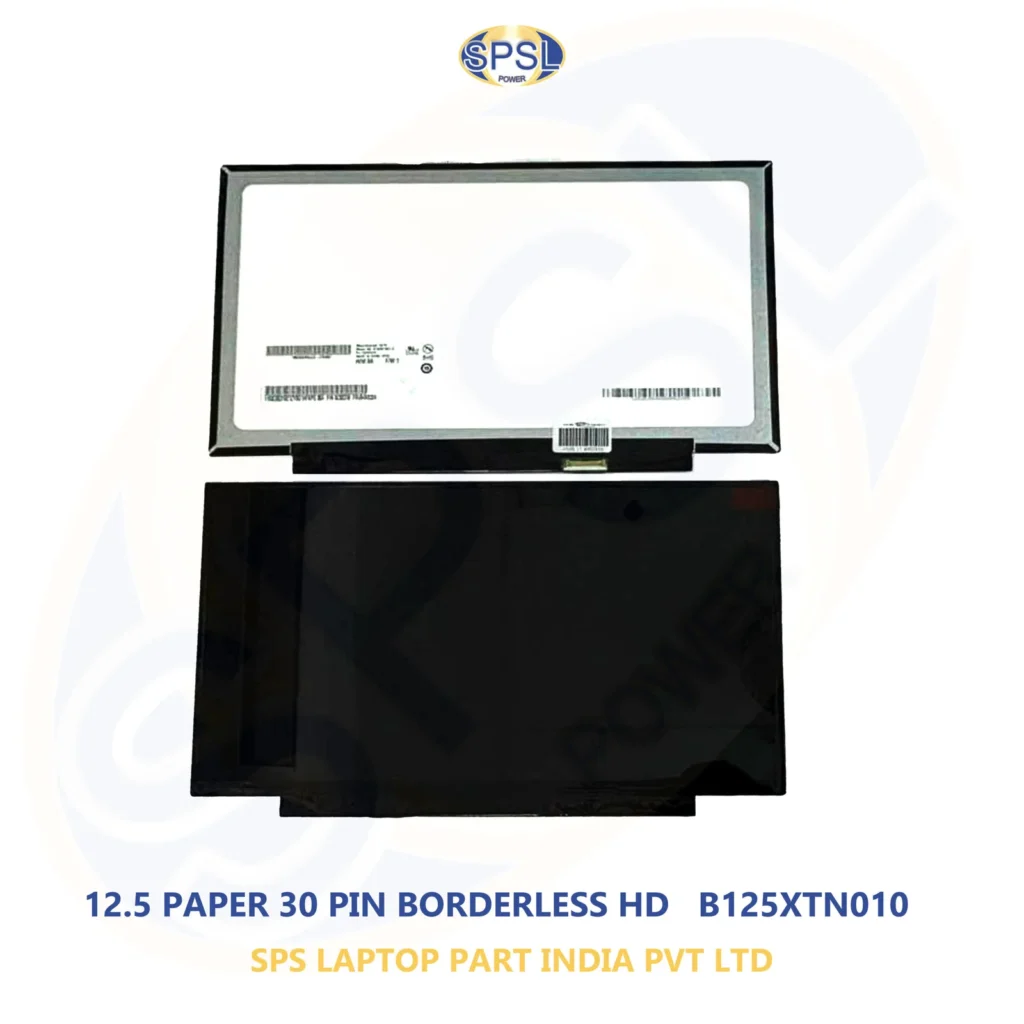
Introduction
The laptop screen is among the vital components of the laptop. No matter whether you use your laptop for your office or business purposes, taking online classes or for entertainment, a damaged screen will definitely affect the performance of your laptop. There are several issues like cracked screens, flickering screen, dead pixels, lines on the screen, dim backlighting, and totally dark screens which may need to be replaced.
There is no need to replace your whole laptop in case its display becomes faulty. The purchase of an appropriate laptop screen can help you bring the laptop back to life at a reduced cost. The choice of a replacement screen is vital since there are many differences between the laptop displays including screen size, resolution, connectors, refresh rates, and many others.
In case you want to purchase the replacement screen online at the best price in India, you should know how to choose the right one. In this article, we explain everything about it and also tell about the advantages of purchasing a replacement screen online. In addition, we will talk about SPS Laptop Parts India Private Limited and its services.
Why Do Laptop Screens Need Replacement?
There are many reasons why a screen of your laptop may be damaged. Such issues may appear because of dropping the laptop, pressure on the screen, using an object between keyboard and lid when closing a laptop, physical damage, liquid damage, failure of one of the components.
The following indicators may show that your laptop screen needs to be replaced:
- Damage of the screen or broken screen
- Black dots or large areas of damage
- Vertical or horizontal lines
- Flickering of the screen
- Screen that is too dark
- Backlight problems
- Dead pixels
- Color distortion
- Partial screen
Screen that is blank while your laptop turned on
Turning off the screen while moving the lid of your laptop
In order not to waste money on replacement of the screen, first try to identify what the actual problem is. Your display can have some problems with cable connection, motherboard, graphics or connector.
Buy Replacement Screen Online at Best Price in India
While purchasing a replacement laptop display, price will definitely be a major factor for consumers. But it does not mean that the most inexpensive screen will work best for you.
In order to get best prices on replacement screen in India, one must consider all the specifications of screen prior to purchase. It is crucial for a replacement screen to be compatible with your particular laptop model.
Some important factors to be considered are:
- Brand name of laptop
- Model of laptop
- Size of screen
- Resolution of screen
- Type of display
- Connector of screen
- Position of connector
- Refresh rate
- Touch or non touch
- Thickness of panel
- Mounting type
Just because two screens are 15.6 inches, it does not mean that both screens will be compatible.
How to Find the Correct Laptop Screen
Firstly, one needs to identify the model of his or her laptop. Model numbers can be located on a sticker on the bottom side of the laptop or in system information.
For instance, laptop could be described as:
Dell Latitude 5400
- HP 15 series
- Lenovo ThinkPad T480
- Acer Aspire series
- ASUS VivoBook series
Having identified the specific model, one needs to find out specifications of an existing screen.
Screen Size Check
The sizes of laptop screens vary. One could find screens of 11.6 inches, 13.3 inches, 14 inches, 15.6 inches, and 17.3 inches.
The screen size should fit the laptop design. Otherwise, if it belongs to another size category, it is highly likely that it won’t be possible to install it even if connectors look similar.
Resolution Check
Another important characteristic is the resolution. There are some common laptop resolutions:
- 1366 × 768
- 1600 × 900
- 1920 × 1080
- 2560 × 1440
- 3840 × 2160
It is possible to replace the screen with a different resolution sometimes.
Connectors to Check
Typical display connectors in laptops may include 30 pin or 40 pin connectors depending on the laptop and display.
Avoid selecting a screen simply based on number of connectors. It is necessary to check all other parameters such as type of connector, cable compatibility, voltage, panel details and laptop design.
Check Touchscreen Capability
There is no guarantee that a touch and non-touch display can be interchangeable.
If your laptop already has touch capability then make sure your chosen solution will have similar capabilities. Likewise, if your laptop uses non-touch display then don’t expect all panels with same size will suit your laptop.
Why Buy a Replacement Screen Instead of a New Laptop?
Just because the display unit is faulty doesn’t automatically mean that the laptop is no longer useful.
If all the other units including the processor, RAM, hard disk, motherboard, battery and others are still working perfectly fine, it may be sensible to consider getting the screen repaired.
There are many benefits to doing so including:
Cost Saving
Getting the screen fixed will definitely be cheaper than buying an entirely new computer, particularly if your current laptop is still a performing one and satisfies all your needs.
Retaining Your Data
When the screen is replaced, your current storage and data in the laptop will be retained. This means you get to keep your current software and programs on the computer.
Increase The Life Of Your Laptop
The right kind of screen replacement can increase the life of your computer.
Eco-friendly Solution
Repairing/Replacing individual components is more environmentally friendly than getting a whole laptop replaced.
Benefits of Buying Laptop Screens Online
Shopping online allows you access to many laptop parts. One can search for laptop brands, models, screen sizes, and other panel specifications while shopping.
In case you wish to buy replacement screen online at the best price in India, online sellers may help you find your compatible choice.
Some of the benefits of shopping online include:
- Laptop screens in large quantities
- Convenience in ordering the products
- Comparing specifications easily
- Availability of parts for older laptop models
- Shipping options to different parts of India
- Viewing product specifications before making the purchase
- Always remember to shop from a trusted vendor.
What Makes a Good Replacement Screen?
It is advisable to choose the correct screen that is compatible and offers good display performance.
When shopping, keep the following things in mind:
Compatibility: It should be appropriate for your specific model of laptop or compatible panel specification.
Display performance: You can look at brightness, resolution, viewing angle, and color performance.
Construction: The panel should be properly handled and packed to avoid damage while being shipped.
Connector: It should be appropriate with the connector of your laptop display cable.
Warranty/replacement terms: Inquire about the supplier’s policies before ordering.
Supplier credibility: The supplier should give you correct information regarding their product.
Original vs Compatible Replacement Screens
Replacement screens for laptops could vary in terms of manufacturing and would either be original or compatible.
An original screen means a screen that works with the initial setup of the laptop manufacturer. On the other hand, a compatible replacement screen would have been made with specific laptop requirements in mind.
It depends on what you have at your disposal – both budget-wise and laptop-wise.
Rather than just concentrating on whether the screen is an original one or not, compare the specs.
Common Laptop Brands for Replacement Screens
There are replacement screens available for many laptop models.
Dell Laptop Screens
Dell laptops consist of different models such as Inspiron, Latitude, Vostro, XPS, Precision, etc. The models can have different screen specifications.
HP Laptop Screens
HP manufactures laptops such as Pavilion, ProBook, EliteBook, Envy, etc. They can have different screen specifications.
Lenovo Laptop Screens
There are Lenovo ThinkPad, IdeaPad, Yoga, etc., with different display panels used.
Acer Laptop Screens
The Acer laptops such as Aspire, TravelMate, Swift, Nitro, etc., can have different specifications of screens.
ASUS laptops such as VivoBook, ZenBook, TUF, ROG, etc., can have different screen specifications.
It is necessary to know the model and its specifications of screen panel to choose.
How Much Does a Laptop Replacement Screen Cost?
There are various considerations that determine the cost of the replacement screen. The size of the screen, resolution, type of screen, screen refresh rate, type of touchscreen, brand, availability, and compatibility could determine the cost of the screen.
An average HD screen on a laptop computer could cost less than an HD touchscreen or gaming screen with a high refresh rate.
As such, there is no fixed cost for all laptop replacement screens.
When you want to purchase replacement screen online in India at the best price, consider comparing the specifications and overall cost from the suppliers rather than considering the lowest price.
How to Compare Replacement Screen Prices
Comparison of prices on-line should not be limited to the price of the shown item.
Think about:
- Specifications of the screen
- Compatibility
- Quality of the panel
- Conditions of warranty/ replacement
- Packaging
- Shipping costs
- Reputation of the supplier
- Availability
- Conditions of return
In some cases, the more expensive but compatible panel is a better choice.
Installation of a Replacement Laptop Screen
Replacement of the screen on a laptop involves careful procedures since both the screen panel and connections inside the device can be delicate.
Some of the steps involved could include:
- Switch off the laptop.
- Disconnect the charger from the device.
- Detach the laptop battery if possible.
- Open the display bezel gently.
- Detach the damaged screen.
- Unplug the display cable.
- Plug the new screen.
- Install the new screen.
- Close the display bezel.
- Turn on the laptop and test the screen.
The procedure greatly differs depending on the type of laptop.
Since some people are not familiar with the components of a laptop, the best thing would be to have professionals replace the screen.
Important Things to Check Before Ordering
Before making any purchase of new screen for your laptop from leading online stores in India at low prices, make a list of specifications to consider.
1. Precise Laptop Model
Be aware that you cannot depend only on the series name of the laptop. Get the full model name.
2. Screen Dimensions
Ensure that the size of replacement is appropriate for your laptop.
3. Screen Resolution
Compare resolution of your current screen with replacement.
4. Screen Connector
Check the specifications of your connector.
5. Touchscreen Requirement
Find out if the laptop requires touchscreen or non-touchscreen panel.
6. Refresh Rate
For gaming and performance laptops, 120Hz, 144Hz and above might be required. Ensure that the replacement has it.
7. Type of Display
You can get TN, IPS, OLED displays and more depending on your laptop.
8. Mounting
See if the mounting is correct.
9. Condition of Product
In case of buying refurbished screen, ensure the condition of the screen is fine.
- Supplier’s policy
Refurbished and Used Laptop Screens
Laptop screens that have been used before may be an economical choice for people who have limited budgets.
But one should have clear knowledge regarding the condition of the screen before buying it.
The following features should be present in a used/refurbished screen:
- Dead pixels
- Lines
- Flickering
- Backlight functionality
- Cracks
- Scratches
- Colors
- Connectors
People should ask the supplier regarding the condition of the item and replacement policy, if any.
Why Choose SPS Laptop Parts India Private Limited?
SPS Laptop Parts India Private Limited offers laptop spare parts and assists customers in finding proper replacements.
SPS Laptop Parts India Private Limited deals with laptop spare parts like laptop motherboards, laptop screens, RAM, and SSDs. Customers can browse through various products and their specifications before buying.
In case you need a replacement screen, it is essential to specify the exact model of your laptop and the specifications of the screen that needs replacement.
SPS Laptop Parts India Private Limited strives to make the process of buying laptop spare parts easy for its customers.
Tips to Get the Best Value When Buying a Laptop Screen
It does not always imply that going for the most expensive option will yield the best results.
Here are some tips to follow:
- Identify the exact make of your laptop.
- Find out the technical details of your laptop’s original screen.
- Compare several compatible screens.
- Inquire about the warranty or replacement policy.
- Find out whether the screen is new, refurbished, or second-hand.
- Examine the connectors properly.
- Factor in the cost of installation.
- Choose a reputable vendor.
- Make sure that the product is available.
Have the technical details of the old screen at hand when talking to the vendor.`
Can You Replace a Laptop Screen Yourself?
Some experienced people can install a new screen on their own, but that is based on the laptop model.
Old models can be easier to open up because of accessibility of the display screen itself, while some new slim laptops might be harder.
In case of having problems with accessing the screen or any doubts regarding its connector, then better seek help from professionals.
The display screen can be quite expensive and sensitive to damages.
Laptop Screen Replacement for Students and Professionals
Students may rely on laptops for doing homework, making presentations, conducting research, attending classes online, and communicating. A damaged screen will disrupt their study process.
People working in offices and companies may rely on laptops for office communication, accounting, programming, designing, meetings, and office-related work. Thus, a new screen installation can help to get back on track without upgrading the entire laptop.
A damaged screen installation will be a reasonable choice for people whose laptops are operating fine in every other way.
Frequently Asked Questions
How can I determine the type of the laptop screen I require?
It is necessary to identify the exact model number of the laptop and to look through the specifications of the current screen.
Are all 15.6 inch laptop screens interchangeable?
Not always. There may be several differences between two screens of the same size, including resolution, connectors, mounting and other parameters.
Can I replace a broken laptop screen?
In most cases, it is possible. It is necessary to ensure that the laptop itself works correctly and that the damaged component is only the display panel.
Would it be cheaper to replace the screen rather than buying a new laptop?
Usually, the screen replacement is less expensive than purchasing the new laptop especially if the other components work without problems.
Should I consider purchasing the used replacement screen?
Used or refurbished screen can be considered by those who want to spend less money on the component.
How can I find an affordable replacement screen?
It is important to compare compatible replacement screens and study their complete characteristics before purchasing.
Final Thoughts
If your laptop screen is damaged, then it may not necessarily imply that you have to replace your entire computer system. As long as all the processor, motherboard, storage, RAM, and other parts are in good condition, it is feasible to get a replacement screen for your device.
While you search for replacement screen online at best price in India, you must understand that compatibility comes first. You should check the particular model of the laptop, its screen size, resolution, connection type, touchscreen ability, panel type and more.
Price is definitely an important factor, but so are quality, compatibility, vendor’s reputation, and conditions for replacement. Spending several minutes checking all the required specifications will save you from buying a wrong laptop screen.
You may consider SPSS Laptop Parts India Private Limited while choosing laptop spare parts like replacement screen, motherboards, RAM, and SSD.
Sharing exact model of your laptop and screen specifications will make it possible to find a compatible screen for you.
Being a student, working person, businessman or common laptop user, the right replacement screen may give new life to your laptop.