
Introduction
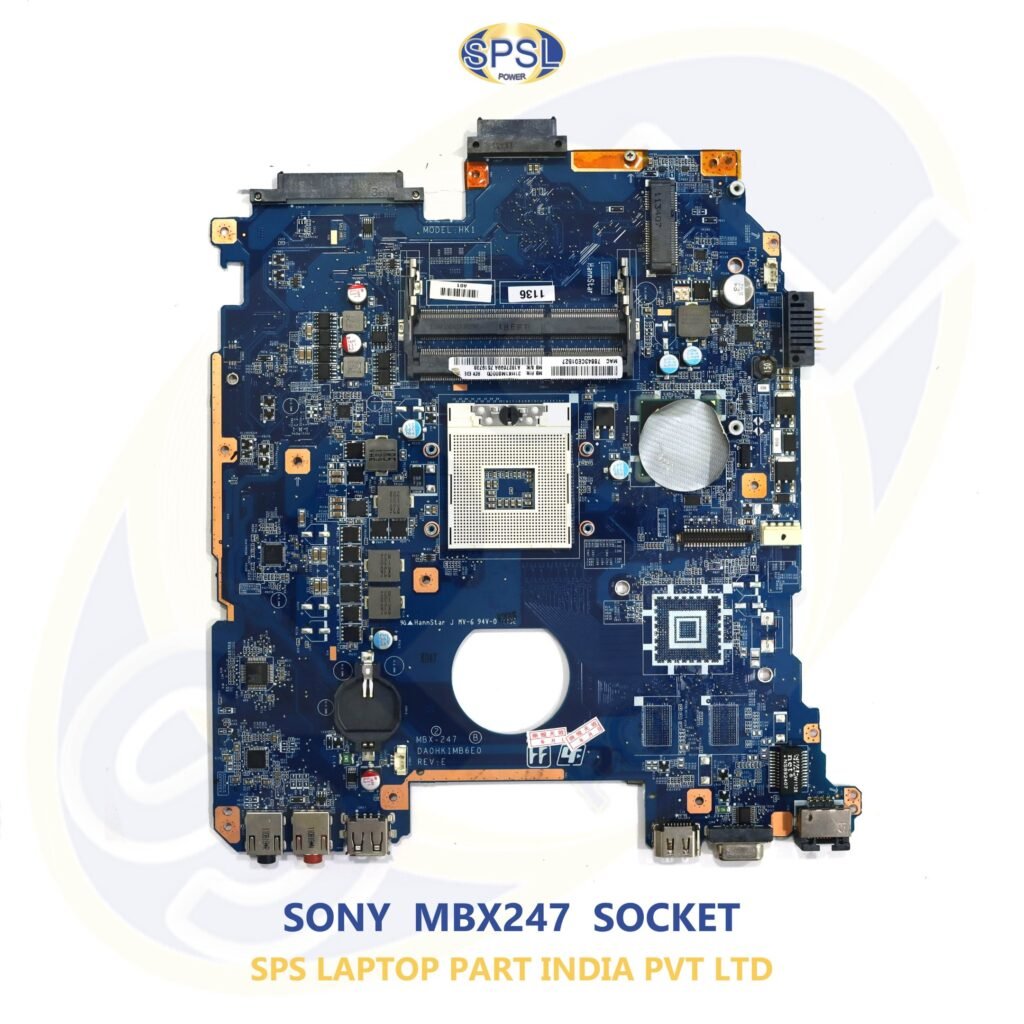
The most common cause of severe hardware problems in your laptop, including a lack of display, unexpected shutdowns, inability to turn on, or damage to your circuits will usually be the motherboard. Given that the motherboard serves as the connection point between all the important hardware in your laptop including its processor, RAM, storage, display, keyboard, and ports, it plays an important role.
If your current motherboard cannot be repaired due to any fault, then Laptop Motherboard Replacement is usually the way forward. But choosing the right motherboard replacement can require consideration of a few factors.
In this comprehensive guide, you will learn everything you should know about buying a legitimate laptop motherboard replacement in India. We will also talk about how buying from a reliable supplier like SPS Laptop Parts India Private Limited can prevent any compatibility problems for you.
What is a Laptop Motherboard?
Motherboard is the main circuit board in all laptops. It links all crucial components of a computer and helps them work effectively.
Laptop motherboard consists of:
Processor (CPU) socket / integrated CPU
- RAM slots
- Graphics chipset
- Storage interface (SSD/HDD)
- Video interface
- USB ports
- Battery charging circuit
- BIOS chip
- Audio/network controllers
Without an operational motherboard, your laptop will not function at all.
Why Do Laptop Motherboards Fail?
The failure of laptops’ motherboards could be caused by the following factors:
Physical Damage
Accidentally dropping a laptop might damage the motherboard as well as other vital components.
Water Damage
Water spills cause short circuiting, which leads to permanent damage of the motherboard circuits.
Power Surge
Use of poor quality chargers or fluctuations in electricity could damage power ICs and charging circuits.
Overheating
Insufficient ventilation and excessive heat slowly damages motherboard components.
Component Failure
After many years of use, MOSFETs, capacitors, ICs, voltage regulators, and BIOS chips can fail.
Signs You Need a Laptop Motherboard Replacement
The following symptoms mean your laptop’s motherboard needs to be replaced:
- Doesn’t turn on
- Black screen but power is on
- Constant rebooting
- Stopped working USB ports
- Problems with charging
- Freezing randomly
- Odor coming from the motherboard
- Laptop shows nothing even with working RAM and screen
- Physically burned motherboard
And if the above-mentioned faults can’t be fixed, Laptop Motherboard Replacement is the best choice.
Benefits of Replacing Instead of Buying a New Laptop
A large number of people have the immediate thought of buying a new laptop. But there are some benefits to considering replacing just the motherboard.
Budget-friendly
Replaced motherboards are usually cheaper than buying a whole new laptop.
Safe Data Storage
As your hard drive stays the same, your data is safe on the machine.
Fast Process
Replaced motherboards will get your laptop working again quickly.
Eco-Friendly
Replacement parts help to reduce e-waste and prolong the lifespan of your device.
Choosing the Right Laptop Motherboard Replacement
There is no universal motherboard for all laptops. Wrong choice may cause compatibility issues.
Prior to purchase, make sure you know:
Laptop Model Name
All the time choose the motherboard according to your full laptop model name.
For example:
- Dell Latitude
- HP EliteBook
- Lenovo ThinkPad
- ASUS VivoBook
- Acer Aspire
Motherboard Part Number
Any motherboard has its own number which is indicated on it.
Here are some examples:
- LA-H801P
- NM-C821
- DA0XXXXX
- 14290-1
- LA-F115P
Correct identification of the part number will ensure compatibility.
Processor Compatibility
Some motherboards have their processors while others do not have one and require the CPU separately.
Make sure your processor is:
- Intel Core i3
- Intel Core i5
- Intel Core i7
- Intel Core Ultra
- AMD Ryzen
- AMD Athlon
Genuine vs. Compatible Motherboards
Consumers have difficulty distinguishing between a real motherboard and a sub-standard compatible motherboard.
Motherboards – Genuine
Features include:
- Greater reliability
- Improved stability
- Long life span
- Original chipset
- Good compatibility
- Sub-Standard Compatible Motherboards
- Downfalls include:
- Limited life span
- Many failures
- Problems with BIOS
- Bad build quality
- Poor performance
Using genuine spares is more cost-effective.
Why Buy from SPS Laptop Parts India Private Limited?
Supplier integrity and product quality both are equally essential while purchasing laptop spare parts.
SPS Laptop Parts India Private Limited deals in genuine laptop motherboard and other laptop spares of renowned brands.
The reasons why customers opt for SPS Laptop Parts India Private Limited include:
- Genuine laptop motherboards
- High compatibility with leading brands
- Quality checked components
- Affordable rates
- Protected packaging
- Pan India delivery
- Customer service
You can check out various genuine laptop motherboards and other laptop spares available on
If you are looking for spares of Dell, HP, Lenovo, ASUS, Acer, MSI, Samsung, or Apple laptops, Lapzo India provides you with a large number of quality tested components.
Major Laptop Brands Supported
A dependable supplier must be able to supply motherboards for several laptop models.
Popular brands are:
- Dell
- HP
- Lenovo
- Acer
- ASUS
- MSI
- Samsung
- Apple
- Toshiba
- Sony VAIO
- Fujitsu
Choosing the right motherboard will guarantee better performance.
Things to Check Before Buying a Laptop Motherboard
When purchasing a new motherboard, it is necessary to verify certain parameters to prevent any compatibility problems. The parameters that need verification before placing an order include the following:
1. Laptop Model Number
All laptops have a model number that can be found either at the back sticker of the computer or within the BIOS. This number should always match the replacement motherboard.
2. Motherboard Part Number
The motherboard part number is one of the critical parameters to look at. Sometimes, even laptops with the same name may have various motherboards revisions. The motherboard part number should be compared before purchase.
3. Processor Type
There may be some laptop motherboards which have their own processors included. In other cases, a separate CPU should be used. This includes:
- Intel Core i3
- Intel Core i5
- Intel Core i7
- Intel Core i9
- AMD Ryzen
- AMD Athlon
4. RAM Compatibility
Confirm that the motherboard supports:
- DDR3 RAM
- DDR4 RAM
- DDR5 RAM
Also check the maximum RAM capacity supported.
5. Display Connector
There are two types of display connectors in laptops – 30-pin, 40-pin, or eDP. Make sure you have the right motherboard for your display connector.
Why Genuine Motherboards Matter
Selection of the original motherboard is the way to ensure the reliability and productivity of your laptop.
The benefits of the original motherboards are as follows:
- Higher durability
- Increased system stability
- Decreased risks of hardware problems
- Correct BIOS compatibility
- Excellent charging capacity
- Better heat dissipation
- Long lifespan
Do not buy very cheap or non-tested motherboards because they might cause failures and extra expenses for repairs.
Common Mistakes Buyers Should Avoid
However, many buyers unknowingly buy the incorrect motherboard due to their lack of knowledge about certain critical aspects.
Some of the common mistakes include:
- Buying the motherboard depending on the laptop brand rather than the laptop model.
- Neglecting the motherboard part number.
- Thinking that all motherboards fit all laptops of the same series.
- Buying from non-reliable vendors.
- Opting for the cheapest one without considering its quality.
- Not verifying processor compatibility.
- Not verifying compatibility with RAM and storage as well.
Installation Tips for Laptop Motherboard Replacement
Installation of a laptop motherboard is a technically skilled task. It is advisable for you to get help from a qualified technician if you do not have experience handling laptop hardware.
Here are some valuable installation pointers:
- Remove the battery first.
- Be careful during handling of the motherboard to prevent static electricity problems.
- Add new thermal paste while re-installing the cooling system.
- Connect all wires properly.
- Inspect all screws and mount points before turning the laptop on.
- Update the BIOS if necessary.
- These steps will guarantee proper functioning of your computer without causing any hardware problems.
Why Choose SPS Laptop Parts India Private Limited?
It is important to have a trusted company when buying laptop spare parts. SPS Laptop Parts India Private Limited is known as a provider of high-quality and tested laptop spare parts for customers in India.
Why SPS Laptop Parts India Private Limited?
- Genuine laptop motherboards
- High quality and tested products
- Good prices
- Good stock of laptop spare parts from different brands
- PAN India delivery
- Safe packaging
- Customer service
- Trusted supplier of laptop spare parts
For the motherboard of Dell, HP, Lenovo, Acer, ASUS, Samsung, MSI, Apple, or other renowned brands, SPS Laptop Parts India Private Limited will help you.
Check out the site below for more information on the products:
You can get genuine laptop motherboards, laptop screens, RAM, SSDs, and many other good laptop spare parts.
Tips to Extend the Life of Your Laptop Motherboard
Preventive maintenance can help you to increase the life expectancy of your motherboard to a great extent.
Here are some basic things that you need to do:
- Keep your laptop clean and free from dust.
- Use only original chargers.
- Do not spill any liquid on your laptop.
- Use a cooling pad while working heavily.
- Update BIOS when required.
- Avoid overheating through regular cleaning of cooling fans.
- Shutdown your laptop.
Guard your laptop from any voltage fluctuation with the help of a surge protector.
Conclusion
Selecting the right Laptop Motherboard Replacement is very important to improve the performance and increase the life of your laptop. To select a genuine motherboard, to verify the compatibility, and to purchase from a genuine source will help avoid all the problems.
SPS Laptop Parts India Private Limited is the best destination if you are looking for genuine laptop spare parts in India. This company offers a variety of laptop motherboards and many more other genuine laptop spare parts at a very competitive price in the market.