
Introduction
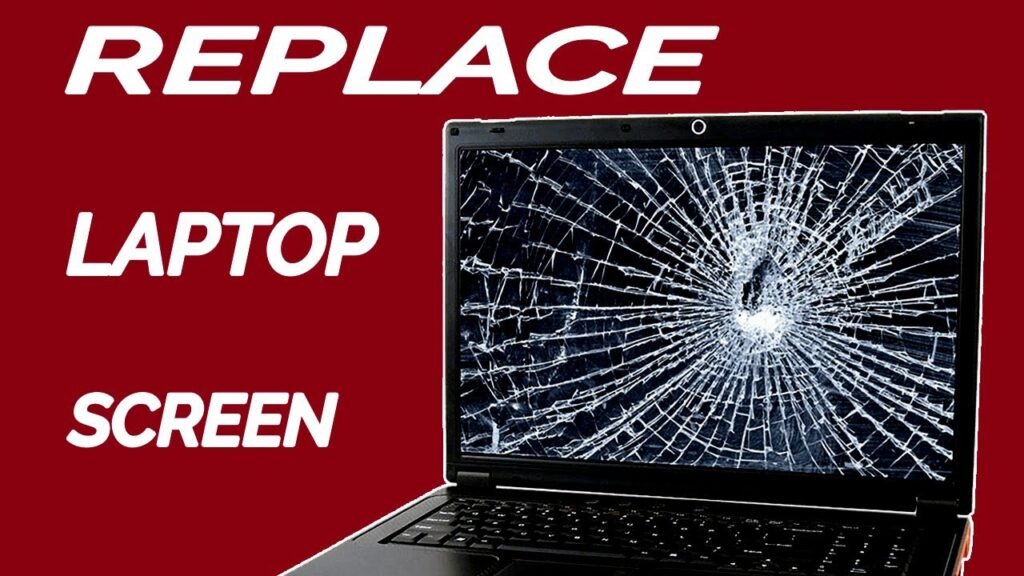
A broken or flickering laptop screen can turn any laptop into something that is hard to use. In case of accidental damages, dead pixels, dark patches, or no visual on your screen, replacing your laptop screen is usually the best available remedy.
If you wish to learn more about the process of Laptop Screen Replacement, this complete guide will help you understand different causes of screen problems, the signs that indicate that you need to replace your display, how to find the right display and why you must always go with a branded screen.
What is Laptop Screen Replacement?
Laptop Screen Replacement involves the removal of an old damaged or non-functioning LCD screen and installation of a new one that will fit into its place perfectly. In some cases, it makes sense to replace the screen rather than buy a new laptop.
Modern laptops have their screens designed specially for them. There are different types of screens differing in such aspects as their size, resolution, connector used, mounting brackets, refresh rates, and technologies of the display.
Common Reasons for Laptop Screen Damage
The laptop screen is an integral yet fragile part that can get damaged in different ways.
1. Accidental Dropped
Dropping the laptop is a very frequent reason for cracked or damaged screens.
2. Pressures on the Screen
Pressing the laptop shut when some objects like a pen, charger or earphones are placed inside causes cracks on the display.
3. Dead Pixels
Sometimes, there appear tiny black or colored dots on the screen surface. This condition is called dead pixels and requires a replacement of the screen.
4. Flickering Display
Flickering display indicates problems with the LCD screen itself.
5. Lines on the Screen
Vertical or horizontal lines on the display usually mean that something is physically wrong with the screen or the panel.
6. Black Screen
In case the laptop gets turned on but the screen doesn’t work while an external screen operates, the LCD screen should be replaced.
Indicators that a Laptop Screen Replacement is Needed
If you see any of the following indications, then you might be in need of a Laptop Screen Replacement.
- Broken or cracked display
- Presence of black dots on the screen
- White screen issue
- Display of colored lines either vertically or horizontally
- Flickering display
- Dead pixels
- Darkened display even at full brightness
- Problem with display not working
- Water damage to screen
- Ignores of these signs could result in a bad experience.
Types of Laptop Screens
Before buying a new screen, it is necessary to learn about the display types.
LCD Screen
LCD screen is one of the common types used in old laptops. They are inexpensive but have less brightness and smaller viewing angles.
LED Screen
LED screen is thin and bright. Most laptops use LED screens.
IPS Display
IPS displays have wider viewing angles, improved brightness, and colors accuracy, which makes them suitable for designers and professionals.
OLED Display
The OLED display is known for its high contrast, deep blacks, and vivid colors.
How to Choose the Right Laptop Screen
Selecting the right screen is very important to achieve full compatibility.
Screen Size
Typical screen sizes on laptops are:
- 11.6 inches
- 13.3 inches
- 14 inches
- 15.6 inches
- 16 inches
- 17.3 inches
Always check the exact laptop model before purchasing.
Resolution
Typical resolutions on displays are:
- HD (1366 x 768)
- Full HD (1920 x 1080)
- QHD
- 4K UHD
Connector Type
There are various types of connectors used for laptop displays like:
- 30-Pin Connector
- 40-Pin Connector
The incorrect connector type would render the display incompatible.
Display Finish
Select from:
- Matte Display
- Glossy Display
Benefits of Using Genuine Laptop Screens
There are numerous benefits of opting for an original screen for your device.
Better Quality Image
The original screen ensures better image quality and colors.
Long-lasting
The original screens usually last longer than cheap ones.
Exact Fit
The original screen will fit without any adjustments.
Reliable Operation
Good quality screens minimize the risks of flickering and color distortion.
Can You Replace a Laptop Screen Yourself?
Technically, yes – but you would need the right equipment and skill set. Removing your laptop screen requires removing the bezel, unplugging certain cables, and putting in the new screen. If you don’t know much about your laptop’s inner workings, it may be best to leave this process to a professional, so as not to damage anything in the process.
Tips Before Buying a Replacement Screen
Prior to buying a Laptop Screen Replacement, consider the following points:
- Your laptop’s model number must be checked.
- The screen size and resolution have to be verified.
- The type of connector must be checked.
- Comparison of specifications with the current display screen.
- Make sure the seller is reliable.
- Look for warranty coverages.
- Check that the item has been tested prior to shipment.
These simple tips can help you to avoid compatibility problems and unnecessary returns.
Laptop Brands Served
Screen replacement products can be found for almost all popular laptop brands, such as:
- Dell
- HP
- Lenovo
- Acer
- ASUS
- MSI
- Apple MacBook
- Samsung
- Toshiba
- Sony
Each laptop utilizes a unique display panel.
Why Choose Lapzo India?
If you are seeking authentic laptop screens and laptop spare parts, you should try Lapzo India. Lapzo India deals in authentic laptop screens, laptop motherboards, refurbished laptops, batteries, keyboards, chargers, adapters, and other laptop accessories for top brands. The products offered by them are quality checked, reasonably priced, and delivered across India. If you wish to replace screen of your business laptop or premium notebook, you can visit the following link and check out the various options provided by them: https://lapzoindia.com/
Ways to Take Care of Your Laptop Screen
Following are some ways through which you can take good care of your laptop screen after replacement:
- Clean the laptop screen using microfiber cloth.
- Do not apply too much pressure to your laptop screen.
- Do not keep any object between your keyboard while closing the laptop.
- Always use padded laptop bags.
- Keep your laptop away from any source of moisture and sunlight.
- Open and close the laptop screen softly.
- Use a screen protector if needed.
Conclusion
Just because your laptop screen is broken does not mean that you have to get a new laptop; all that is required is finding the right Laptop Screen Replacement. Selecting the best laptop screen size, resolution, and connector type will ensure that you enjoy enhanced performance and save yourself the hassle of buying a new laptop.
For original laptop screens, refurbished laptops, laptop motherboards, and spare laptop parts, Lapzo India provides high-quality tested components for all popular laptop brands and PAN India delivery. Browse through our product range at https://lapzoindia.com/.