
Introduction
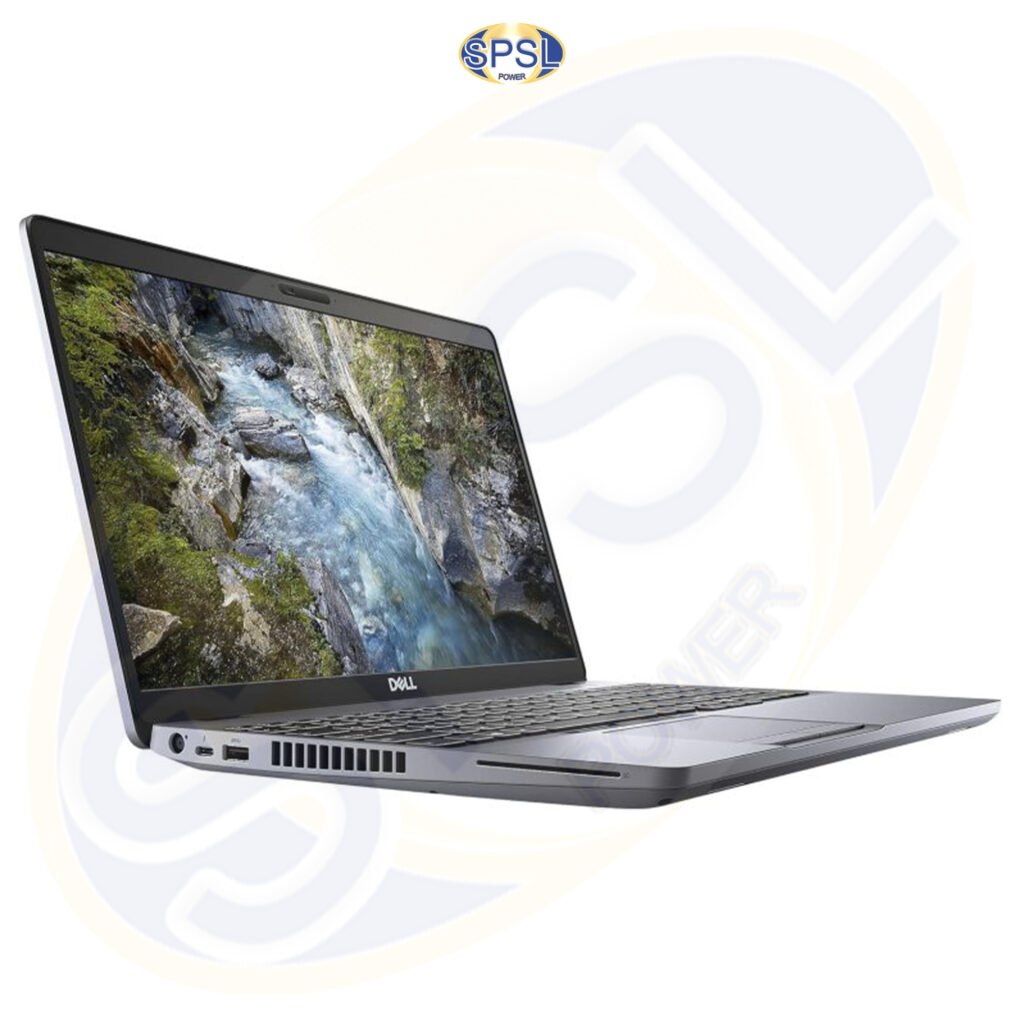
Finding a reliable laptop at a low cost has become a crucial factor for many people like students, professionals, freelancers, startups, small businesses, and personal use. Buying a new laptop may cost you a lot, especially if you have better requirements like a core i5 or i7 processor, 16 GB RAM, SSD storage, and good display along with robust business class built. Due to all these reasons, many people are considering the option of buying used, preowned, and refurbished laptops instead of brand new laptops.
If you are looking for a second-hand laptop in Delhi NCR, you will find many options available in the form of laptops by brands like Dell, HP, Lenovo, Acer, ASUS, Apple, MSI, and Samsung. Moreover, Delhi NCR is a hub of computer hardware and laptop spare parts.
But, when choosing a used laptop, the price shouldn’t be the sole consideration for you. There are a few things that you must consider before deciding to purchase a laptop like learning about the difference between second-hand and refurbished laptops, checking the hardware thoroughly, finding out the condition, comparing prices, and making sure that the laptop fits your needs.
Alternatively, you could rent a laptop. When you need a laptop for a limited time, you might find that renting is a better choice than buying. People who are attending short courses, people working on short-term projects, events management companies, training institutions, and companies with short-term staff can benefit from renting laptops.
According to some of the recent buying guides, refurbished laptops can provide quite a few savings over new computers, but it is imperative to pay attention to testing, battery life, reputation of the seller, warranty, and returns while shopping.
This complete guide tells you everything that you need to know before purchasing a used or refurbished laptop in Delhi NCR.
What Is a Second-Hand Laptop?
A second-hand laptop is a laptop that was previously owned and used by somebody else and then sold.
The previous owner could be an individual, an organization, a college, a corporate body, or even a business entity. Some laptops become second-hand when organizations replace their old machines, while some people prefer to sell theirs because they are planning on buying new ones.
The condition of a second-hand laptop can differ widely from one machine to another.
Some laptops might look brand new while having been used minimally; some laptops might appear scratched, with old keys or low battery life, which indicate long use of them.
Therefore, when looking for a second-hand laptop in Delhi NCR, you must not rely on the appearance of the laptop only.
Second-Hand vs Refurbished Laptop
The crucial point which buyers should learn about is the distinction between a second-hand and a refurbished laptop.
Second-hand laptop can mean a used laptop which is sold again. This kind of product is not necessarily subjected to testing according to the wishes of the vendor.
Refurbished laptop usually denotes a returned, used, or previously owned laptop that has undergone testing, cleaning, repairs, or upgrades prior to resale by the vendor. The process of refurbishment varies from vendor to vendor.
A refurbished laptop can include:
- hardware testing;
- display testing;
- keyboard and touchpad testing;
- port testing;
- storage testing;
- RAM testing;
- cleaning;
- operating-system installation;
- component replacement;
- grading;
- quality checking.
Recently published buying guides in India pay attention to the fact that a refurbished laptop is different from a simply used/as-is laptop.
It is essential for the buyer to find out whether the product is just called refurbished, but not necessarily subjected to thorough testing.
Why Buy a Second Hand Laptop in Delhi NCR?
There are multiple factors that lead customers to buy used laptops rather than brand new ones.
1. Lower Purchase Price
The most important factor is lower purchase price in many cases.
A customer with a small budget may be able to afford a high-end business laptop in the used market instead of buying a low-end new laptop.
For instance, a customer who is interested in office work may prefer a used business-class laptop with the following features:
- Intel Core i5 CPU
- 8GB or 16GB RAM
- SSD drive
- Full HD screen
- Many connectivity options
instead of a brand new laptop with poor hardware specs.
The price will vary depending on model, generation, condition, configurations, availability, and seller.
2. Higher-quality Hardware
The used market often features business laptops, designed for use in a corporate environment.
Business-oriented laptops may feature:
- Stronger construction
- More comfortable keyboard
- Better connectivity
- Upgradable hardware
- Professional design
- Repairable
Some examples of business-oriented laptops include Dell Latitude, HP EliteBook, and Lenovo ThinkPad lines.
3. More Options Within Limited Budget
Now let us assume that you have a limited budget.
In case you are looking for new laptops only, you will have to sacrifice on some of the specifications like RAM, processor, storage capacity, screen quality or durability.
There is another way out: search for an old high-end laptop that satisfies your performance needs.
This is one reason why the market of second-hand laptops still remains popular among budget shoppers.
4. Useful for Students
Students need laptops for:
- Taking online classes
- Assigning works
- MS Office
- Giving presentations
- Researching
- Web browsing
- Programming
- Taking video lectures
- Taking online tests
For all these purposes, a suitable used laptop would do just fine.
However, students should not opt for a laptop solely based on its cost. The laptop should have enough RAM, storage, processing and battery life.
5. Useful for Freelancers
Freely working individuals may face budget constraints, particularly when at the beginning of their career.
A second-hand computer would be beneficial for doing tasks like:
- Content writing
- Digital marketing
- SEO
- Website management
- Data entry
- Virtual assistance
- Graphic designing
- Video conferencing
- Social media management
- Web development
It all depends on the kind of software required.
How to Choose a Second Hand Laptop in Delhi NCR
While shopping for a used laptop in Delhi NCR, first understand your needs and specifications.
Never begin your search with the question, “What is the cheapest laptop available?”
Rather ask:
What do I want to use the laptop for?
The specifications needed for a laptop to run MS Office are different from those required for video editing.
The specifications needed for a laptop to be used for browsing are different from those required for programming and designing.
Your needs should dictate your specifications.
Step 1: Set Your Budget
Before shopping around, set a realistic budget for yourself.
This budget must cover not only the cost of the laptop but also the following:
- Charger
- Battery
- Upgrade to SSD
- RAM upgrade
- OS requirement
- Accessories
- Shipping costs
A laptop that looks cheap upfront can prove costly after several upgrades.
Step 2: Selecting the Processor
The processor is among the critical parts that you need to consider when buying your computer.
Popular processors in the used laptop world include Intel Core i3, Core i5, Core i7, AMD Ryzen, among others.
For general office use, web surfing and learning purposes, you may opt for the suitable Core i3 processor or any equivalent.
If you want multitasking, business, programming, and other heavy-duty tasks, you may select the right Core i5 or Ryzen 5 class laptops based on the generation.
You may consider high-end processors for heavy-duty office tasks.
You should not consider the comparison of the processor only based on whether it’s an “i5” or “i7.” The generation and the specific model are also important.
The new Core i5 will perform better than the old Core i7 under certain tasks.
Step 3: Checking the RAM
The RAM influences multitasking performance.
With little RAM, you may find your laptop becoming slow when several applications and browser tabs are open.
You may consider 8GB RAM for most daily users while others may choose 16GB or more.
Step 4: Opt For SSD Storage When Relevant
The type of storage can greatly influence performance.
Some older laptops will have HDD storage. Most newer computers utilize SSDs.
An SSD can offer faster:
- Booting
- App loading
- File access
- Responsiveness
If you come across a good laptop but it has HDD storage, check if it is possible to install an SSD.
SSD installation can greatly enhance the performance of an old laptop.
Step 5: Inspect the Display
Do not buy a second-hand laptop without carefully checking its screen.
Check for:
- Dead pixels
- Brite spots
- Dark spots
- Lines on the screen
- Flickering
- Uneven illumination
- Colour issues
- Scratches
- Wobbly screen hinges
- Screen bleed
Open various apps and see various colours when possible.
The problem with the screen may become costly or difficult to repair, therefore it needs to be found out prior to purchase.
Step 6: Test the Keyboard
Open the text editor and test the keyboard.
Inspect all important keys.
Look out for:
- Missing keys
- Sticky keys
- Keys requiring additional pressure
- Inoperative keys
Backlight, if any
Step 7: Test the Touchpad
Drag the mouse cursor all across the touchpad.
Verify:
- Mouse movement
- Click
- Right-click
- Left-click
- Multi-touch movements
- Scrolling
If the mouse pad shows inconsistent behavior, inquire into it prior to the purchase.
Test the Laptop Battery
The condition of the battery is one of the most important factors you need to consider when buying a used computer.
As time passes by, batteries lose their ability to hold charge. Hence, two computers of the same age will have varying battery performance.
Inquire about the battery’s state from the vendor.
You can also check on your own via battery diagnostic tools in the OS.
Laptops having batteries that cannot keep their charge for long will need to be replaced.
However, there is no need to dismiss a laptop due to its battery. The thing is you have to take into account battery condition in the final cost.
New guidelines for refurbished laptop purchasers have also identified battery condition as an important variable to check.
Check the Laptop Charger
Laptop charger needs to be thoroughly tested.
Ensure that:
- The charger is compatible
- The charging process is correct
- There is no damage to the plug
- No exposed wires exist
- The laptop accepts the charger
- The charging process is stable
In case the original charger is not available, ensure there is a compatible replacement.
Test all ports
A laptop may have several ports based on its model.
Test:
- USB
- USB-C
- HDMI
- Audio
- Ethernet
- SD card slot
- Charging port
Do not make assumptions about the functionality of each port just because the laptop turns on.
Wi-Fi and Bluetooth Check
Connect the laptop to Wi-Fi and check the internet connection.
Also check for Bluetooth connection using a compatible device.
The wireless connectivity feature is important in today’s time, thus both features need to be checked before buying.
Camera and Microphone Check
Cameras are used for:
- Zoom meetings
- Google meet
- Microsoft Teams
- Online courses
- Interviews
- Business meetings
Open camera application and check for video.
Check the microphone by recording an audio clip.
Speakers Check
Play an audio file and check the speakers at varying volume settings.
Observe for:
- Distortion
- Crackle sound
- Very low volume
- Imbalanced sound
Check the Headphone socket too if one is there.
Check Laptop Hinges & Body
Physical condition is important.
Check for:
- Hinges
- Laptop screen bezel
- Palm rest
- Bottom cover
- Screws
- Rubber pads
- Keyboard section
- Charging socket
- Corners
- Loose hinges could be a big issue.
A minor scratch is of no importance, but physical damage is.
Check the Serial Number and Model
Identify the model number of the laptop before buying.
There can be many different configurations of the same laptop series.
The following components can be in different combinations:
- Processors
- RAM
- SSD
- Resolution of the display
- Graphics
Ask for the model and the configuration of the laptop from the seller.
It is very useful to identify the spare parts required for the laptop.
The Importance of Purchasing from a Trustworthy Seller
The seller has great importance in the second-hand market.
A trustworthy seller must be able to give information about:
- Model of the laptop
- Processor
- RAM
- Storage
- Condition
- Battery
- Charger
- Warranty
- Policy on returns
The recent recommendations regarding refurbished laptops highlight the importance of the seller’s reputation, testing, and documentation.
SPS Laptop Parts India Private Limited is the name of the company that deals in laptop spare parts and related products of laptops. Customers looking for the solution of their used or refurbished laptops should always ensure the relevant details about the laptop before purchasing.
Second Hand Laptop Market in Delhi NCR
There is a huge ecosystem of computer products in Delhi NCR.
They include customers from:
- Delhi
- Noida
- Gurgaon
- Ghaziabad
- Faridabad
- Greater Noida
where various used and refurbished computer products can be found.
In particular, Nehru Place is famous as a big market of computer hardware in Delhi.
Nevertheless, being a huge market, it implies having a wide variety of both sellers and products’ states available to compare.
Do not expect all the laptops in one and the same market to be of equal quality.
It greatly depends on the testing procedure of the seller and the warranty terms provided by him.
Why Nehru Place Is Popular for Laptop Buyers
The Nehru Place has always had a reputation for selling computer hardware and laptop parts and components.
If you are searching for a second-hand laptop, then one benefit of going to the market is that you get to see the actual device before buying.
Here, you can check:
- Monitor
- Keyboard
- Battery
- Case
- Ports
- Adapter
- Performance
But physical inspection will not relieve you from asking questions concerning warranties and returns.
Buying Online vs Buying Offline
Both choices have their own pros.
Buying Offline
Pros:
- Inspection by yourself
- Questions on the spot
- Testing of the laptop
- Comparing several laptops
- Possibility of immediate delivery
Cons:
- Having to travel
- Varying quality from one seller to another
- Differing prices
- Nevertheless, you should check warranty yourself
- Buying Online
Pros:
- Convenience
- More choice
- Easy price comparing
- Ordering from your apartment
- Specifications of the product can be compared
Cons:
- You cannot inspect the laptop before buying it
- Some photos cannot show all cosmetic defects
- Risks due to shipping
- Return policy should be checked carefully
When buying a costly used computer online, you should keep records and proof of delivery. For valuable packages, video-recording of opening of the package could be also helpful.
Laptop Rental: An Alternative to Buying
Everyone does not have to own a laptop.
At times, one may require the laptop for just a brief period.
It is here that renting the laptop comes handy.
Through the renting process, you get to use the laptop for a certain period by paying the rental fee instead of buying it.
Laptop rental can be useful in situations such as:
- Corporate events
- Conferences
- Training seminars
- Workshops
- Temporary staff members
- Short-term projects
- Examinations
- Business presentations
- Software demonstration
- Temporary offices
- Educational programs
When Should You Rent a Laptop?
- It is logical to hire whenever the need is short term.
- Take an instance where a firm has scheduled a three day training program for 50 attendees.
- Purchasing 50 computers might be a burden when such laptops may not be needed after the three days.
- In such circumstances, renting might save you some money.
- Additionally, a learner who has been admitted for a few weeks course may not buy a computer.
- A firm that has embarked on a temporary project might need some more computers without necessarily expanding its equipment.
When Should You Buy a Second-Hand Laptop?
When should you prefer to purchase instead of renting?
- If you will need it for many years
- You want to own
- The use is frequent
- Upgrade is necessary
- Don’t want the rent expense again
- Want the specific one
If the need is for long time period then calculate the total cost of renting over the period and compare it with the cost of purchasing a used/refurbished laptop
Second-Hand Laptop vs Laptop Rental
The right choice depends on your usage.
Factor | Second-Hand Laptop | Laptop Rental |
Ownership | You own the device | Rental provider owns it |
Initial cost | Higher | Usually lower |
Long-term use | Suitable | May become expensive over time |
Short-term use | May not be economical | Often practical |
Upgrades | Possible depending on model | Usually restricted |
Return | Not normally required | Required after rental period |
Maintenance | Owner responsibility depending on terms | Depends on rental agreement |
There is no universal answer.
The right option depends on your budget, duration of use, and performance requirements.
Best Laptop Brands to Consider
There are laptops of various manufacturers on the second-hand market.
Dell
Dell laptops for businesses are favored for their business design, large number of models, and configuration options.
Models of the Latitude line are frequently seen in business use.
HP
HP manufactures several lines of laptops for business and educational use as well as daily use.
Models of EliteBook and ProBook lines are frequently considered for business laptops that are used and refurbished.
Lenovo
There are Lenovo laptops including ThinkPad and IdeaPad models among used and second-hand laptops of various performance levels.
ThinkPad models stand out with their business designs.
Acer
Acer laptops for consumers and professionals can be found at various prices.
ASUS
There are ASUS laptops from basic daily use to powerful laptops.
Apple
Second-hand MacBooks may be of interest to those who need macOS.
However, it is essential to pay special attention to year of manufacture, compatibility, battery, and software support issues.
Laptop for Students
Instead of choosing the fastest CPU, students should value their reliability and battery life.
General studies require:
8 GB or more of RAM, depending on your budget
- SSD disk
- Nice keyboard
- Wi-Fi working
- Webcam working
- Battery in good condition
- Nice screen
If the student is majoring in engineering, programming, architecture, animation, or any other challenging major, then the configuration must be chosen based on software needs.
Laptop for Office
Typical requirements for an office include:
- Processor
- At least 8GB RAM
- SSD
- Keyboard
- Webcam
- Wi-Fi
- Battery
A used business laptop can sometimes be a decent choice when looking for both reliability and performance.
Laptop for Digital Marketing
The digital marketers usually work with several browser tabs and apps at the same time.
A good configuration requires having enough RAM and SSD capacity.
For the purposes of:
- SEO
- Google Analytics
- Search Console
- WordPress
- Canva
- Social media
- Meta Ads Manager
- Content creation
- Email marketing
a used laptop can do the job just fine.
Laptop for Programming
The hardware needs for programming differ based on the environment.
A programmer should take into account:
- Generation of processor
- RAM
- SSD
- Screen
- Keyboard
- Compatibility with OS
- Possibilities for upgrades
Programmers who use virtual machines, containers, Android Studio, big databases, and other tools might need more RAM and power.
Laptop for Graphic Design and Video Editing
Graphic and video editing work usually requires more hardware.
Before purchasing second-hand laptops for creative work, you should check:
- CPU
- GPU
- RAM
- SSD
- Quality of screen
- Color reproduction
- Cooling system
- Possibilities for upgrades
Do not buy a cheap office laptop and expect it to function as a dedicated workstation.
Laptop Spare Parts and Second-Hand Laptops
There might be times when used laptops require replacement parts.
Some parts which can be replaced or upgraded are as follows:
- Motherboard of laptop
- Ram
- Solid State Drive (SSD)
- Laptop Screen
It all depends upon the model of the laptop which is to be purchased.
SPS Laptop Parts India Private Limited deals only in laptop spare parts and can prove useful in case you are looking for laptop parts.
When buying a part always ensure that the part number matches with your laptop model
Importance of Laptop Motherboard Compatibility
The motherboard is considered one of the crucial parts of the laptop.
If a motherboard requires replacement, then you should know the following information:
- Model of laptop
- Model of motherboard
- Board number
- Revision
- Processor configuration
- Graphics configuration
It is recommended to buy a motherboard for your laptop not according to the laptop’s series.
Two laptops that belong to the same series can have different motherboard revisions.
How to Upgrade an Old Laptop?
The ability to upgrade a laptop is the advantage of some old laptops.
According to the model of your laptop, you can upgrade the following components:
- RAM
- SSD
- Storage
- Wi-Fi module
But in modern thin laptops the parts can be soldered to the motherboard.
Common Mistakes When Buying Used Laptops
Mistake 1: Choosing by Price Alone
The most inexpensive laptop may not be the best value.
The cheap laptop might need to be upgraded in order to work properly.
Mistake 2: Not Considering Processor Generation
Do not compare only “Core i5” with “Core i5.”
It is important to consider processor generation and model.
Mistake 3: Overlooking Battery Condition
A laptop can function perfectly well with a degraded battery.
Mistake 4: Forgetting to Check Display
Problems with a screen can become very expensive and inconvenient.
Mistake 5: Not Testing Ports
USB ports and charging ports can be faulty but hard to detect when the laptop is turned on.
Mistake 6: Purchasing Without Warranty Information
You should always know whether there is any warranty or replacement offered.
Mistake 7: Not Confirming the Model
The item name can be sometimes misleading.
You should always know the exact model.
How to Compare Two Used Laptops
Consider two laptops in the same price range.
Laptop A:
- Old Processor
- 16GB RAM
- 512GB SSD
- In good condition
- Laptop B:
- New Processor
- 8GB RAM
- 256GB SSD
- Worn out
Which one would you choose?
The answer to this question is not definite.
If multitasking is essential for you, then Laptop A will be appealing.
If newer processor generation is what matters in your case, then Laptop B will be more desirable.
Make a comparison of both setups together.
How to Estimate the Real Value
Let us look at:
laptop price + cost of upgrades required + cost of future replacements = total investment approximated
For instance, when the price is low but requires the laptop to have an SSD or a battery, add these costs to compare it with another laptop.
This will give you a more realistic assessment.
Questions to Ask Before Purchase
Some of the questions that should be asked include:
- What is the exact model of the laptop?
- What is the type of processor?
- Which generation is the processor?
- What amount of RAM?
- Is the RAM upgradeable?
- What storage does the laptop have?
- Is it SSD or HDD?
- What is the condition of the battery?
- Is the original charger included?
- Do all USB ports function properly?
- Does Wi-Fi function?
- Does Bluetooth function?
- Does the webcam function?
- Does the microphone function?
- Are there any issues with the display?
- Are there any hinge problems?
- Has the laptop been fixed?
- Has the motherboard been changed?
- Is there any warranty on the laptop?
- What is the return policy?
Answering these questions will help you avoid many surprises.
How Businesses Can Benefit from Used Laptops
In many cases, companies have to watch their hardware expenses closely.
New businesses might require several laptops but keep their initial budget low.
A second-hand business laptop could be a good choice for:
- Administrative personnel
- Sales representatives
- Data entry
- Customer service
- Online marketing
- Accountants
Office management
As for the temporary needs, companies may also look at rental options.
Renting Laptops for Events
Events may require temporary use of laptops.
They include:
- Conferences
- Training seminars
- Product presentations
- Education seminars
- Corporate meetings
- Exams
Rather than buying new equipment that will be left unused, event organizers may rent it.
Before renting, make sure you know:
- Duration of the lease
- Number of laptops
- Requirements
- Delivery
- Installation
- Support
- Damage insurance
- Returning procedure
Laptop Rental for Startups
Some startups grow rapidly.
A firm might employ ten people for a particular job, then decrease its workforce size.
When ten laptops are purchased, there may be excess stock.
But rentals would help in this type of scenario.
Nonetheless, the cost of renting must be compared with the price of buying second-hand laptops.
Laptop Rental for Students and Training Institutes
Sometimes training institutions require several computers for some courses that they offer.
If these courses are for just a few months, renting would be an alternative choice.
Also, students pursuing short courses could consider rentals if they do not have laptops.
Advantages of Environmental Nature of Using Used and Refurbished Laptops
In addition to these benefits, the use of used and refurbished laptops may bring some environmental gains.
Not buying a brand new laptop and rather extending the lifetime of an already available one might result in saving on another new device purchase.
Refurbishment of a laptop may also help keep the laptop operational for longer.
Nevertheless, proper recycling and disposal of a laptop will also be required once it reaches the end of its lifetime.
Is a Refurbished Laptop Worth Purchasing in 2026?
It is still possible to buy a second-hand laptop in 2026 if the buyer does so properly.
The market has grown due to consumers’ demand for higher value in their technological acquisitions.
Recently acquired 2026 market coverage suggests that the interest in refurbishment has grown due to the costs of new devices and their components.
The trick here is not to buy a laptop just because it is cheaper.
It should have:
- Correct CPU generation
- Sufficient memory
- SSD storage
- Proper state
- Working battery
- Operational ports
- Trusted seller
- Clear warranty policy
Online Safety When Buying a Used Laptop
Purchasing online calls for extra care.
Do not make any purchases relying on good looking pictures.
Ask for more specific details.
Where possible, try to get the following:
- Product pictures
- Model numbers
- Serial numbers when applicable
- Information on the battery
- Hardware details
- Testing information
- Warranty information
What to Do After Receiving the Laptop
Upon receipt of your used laptop, examine it straightaway.
Look at:
- Model
- Processor
- RAM
- Storage
- Monitor
- Keyboard
- Trackpad
- Battery
- Power supply
- Ports
- Wi-Fi
- Bluetooth
- Webcam
- Microphone
- Speakers
You may also need to ensure that the operating system is properly reset on the device.
In case the item does not meet the description, inform the seller immediately.
Why Specifications Should Match Your Work
There isn’t any one “perfect” used laptop.
It depends on the needs you have; the perfect laptop is the one which suits your needs.
For a student, it could be about light weight and battery.
For an office professional, it would be comfortable to use.
For developers, it’s all about memory and processing.
For designers, it would be display and graphic.
For a business it would be about manageability and cost-effectiveness.
Thus, define your workload before making the purchase.
Final List for Buying Laptop
Here is the list before making your purchase:
- Model verified
- Processor checked
- Generation of processor verified
- Memory checked
- Storage verified
- SSD/HDD verified
- Display tested
- Keyboard tested
- Touch pad tested
- Battery tested
- Charger tested
- USB tested
- Display output tested
- Wi-Fi checked
- Bluetooth checked
- Webcam tested
- Microphone tested
- Speakers tested
- Hinges tested
- Body tested
- OS checked
- Warranty terms verified
- Return policy verified
- Seller verified
Why SPS Laptop Parts India Private Limited Can Be Relevant
If one buys or uses used laptop, one will at some point need replacement spare parts that are compatible with the device.
The company “SPS Laptop Parts India Private Limited” deals in spare parts for laptops, ranging from laptop motherboards, laptops screens, RAM, and SSDs.
While looking for parts for your laptop, it is important that you find out whether the part is compatible to your laptop by using your laptop model and part number.
This especially applies when looking for laptop motherboard since laptop motherboards come in different versions even in the same laptop family.
The name “SPS Laptop Parts India Private Limited” will thus be relevant to you while looking for laptop spare parts.
Frequently Asked Questions
Is it safe to buy a used laptop?
Yes, it is when you buy from a trusted vendor and do your due diligence on the specifications, condition, battery, display, ports, storage and warranty/return policy of the used laptop.
What should I consider while buying a used laptop?
The model, processor, RAM, storage, condition, display, battery and warranty/return policy of the seller are some of the things to consider first when purchasing a used laptop.
Is refurbished a good alternative to used laptop?
Yes, a tested and refurbished laptop is a better choice compared to a used laptop because you do not have to worry about testing the used laptop.
Should I buy a used i5 or i7 laptop?
No, i5 or i7 alone does not make the difference. Processor generation and exact model of the processor must be taken into account.
Is 8GB of RAM adequate for my needs?
Yes, it is sufficient for most users who perform basic functions on their laptops.
Is SSD useful?
Yes. SSD is usually more responsive compared to HDD in general.
Renting or buying a laptop?
If the need for the laptop is temporary, then renting could be an option. In case it is needed for the longer term, buying a laptop would be better.
Where to buy a second-hand laptop in Delhi NCR?
There are numerous stores in Delhi NCR selling used and/or refurbished laptops. It is advisable to carefully compare stores and their products prior to purchase.
Is there an option to upgrade my second-hand laptop?
Laptops might offer upgrades either in terms of RAM or SSD, or not. You should know your exact laptop’s model.
How can I buy laptop parts separately?
Yes, it is possible to buy laptop parts such as motherboards, screen, RAM or SSD separately.
Conclusion
It can be seen that purchasing a used laptop in Delhi NCR is one of the options for those customers who seek a decent computer performance level but cannot afford a new laptop due to financial reasons.
Nevertheless, it should be noted that the most significant step while making a decision on buying a laptop is research.
It is not recommended to make a purchase just due to the low price. You should take into consideration processor generation, RAM, SSD, screen, battery, keyboard, touchpad, ports, charger, camera, Wi-Fi, Bluetooth, condition of the laptop itself, and the refund policy.
Additionally, you should understand the difference between a usual used laptop and a quality-checked and graded refurbished one.