
Introduction
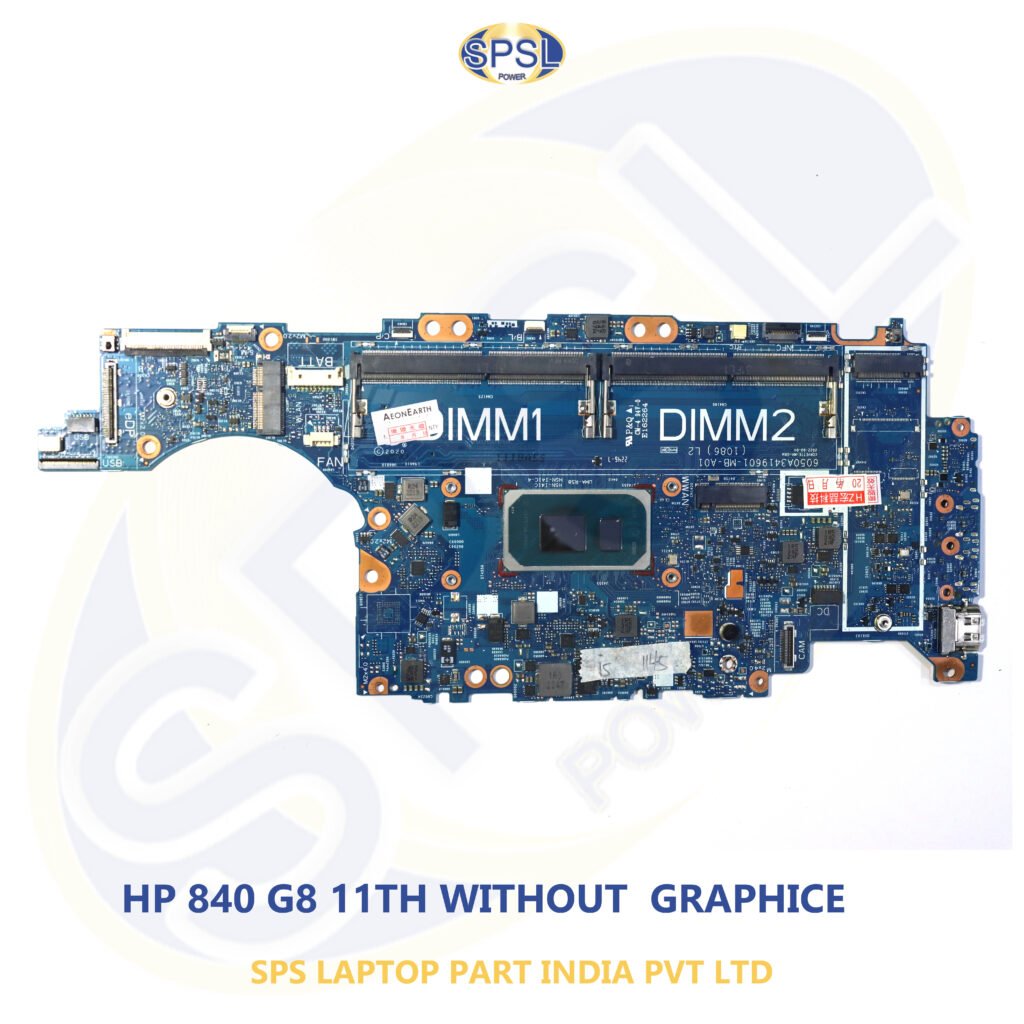
When your HP Laptop fails to work, turns off without powering on, shows a blank screen or undergoes unexpected hardware failures, the motherboard is one of the first components that you have to look into. The motherboard acts as the foundation of your laptop connecting all components including the processor, RAM, storage, screen, keyboard, fan, USB ports, charging ports, and many others. Your laptop will not function properly without a functional motherboard.
The selection of a suitable HP Laptop Motherboard is one of the most crucial decisions while trying to fix or upgrade your laptop. An appropriate motherboard makes sure that your laptop functions efficiently, works properly powered, communicates well with other hardware components, and serves your device for a long period of time. Selecting an unsuitable motherboard may lead to various problems ranging from hardware failures and BIOS errors to damaging your other components permanently.
HP produces an extensive array of laptop series such as Pavilion, ProBook, EliteBook, Envy, Omen, Victus, Spectre, Chromebook, and Essential. There are many models in each series and most of them have various motherboards even though they seem to be similar in design. For this reason, it is necessary to consider motherboard compatibility when you are about to buy one.
This detailed buying guide will teach you all the important things to consider when choosing an appropriate HP Laptop Motherboard. Here, you will learn about compatibility, recognizing motherboard failure, common mistakes that should be avoided and buying only authentic products.
What is an HP Laptop Motherboard?
HP Laptop Motherboard is the main printed circuit board that is present in your laptop computer. It is the center point from which all other parts of the laptop computer communicate with each other. Every single piece of communication, transfer of signals and power goes through the motherboard.
Following components usually make up the HP Motherboard:
- CPU (Processor) or Processor socket
- RAM slots or Onboard memory
- Graphics chipset (Integrated or dedicated)
- BIOS chip
- Power management unit
- USB controllers
- Audio unit
- Wireless and Bluetooth connectivity interface
- SSD or HDD Interface
- Fan controller
- Keyboard and touchpad interface
- Display interface
- Battery interface
- Charger IC
Since most of the components require the motherboard to function, any minor issue with it will result in serious problems.
Why is the Motherboard So Important?
The processor is thought to be the most vital component of a laptop; however, without a motherboard, none of the other hardware will work together. The motherboard dictates the communication between each of these components.
The tasks of the motherboard are:
- Distributing power
- Facilitating data communication
- Synchronizing the hardware
- Recognizing devices
- Managing the boot process
- BIOS
- Managing charging
- Outputting to displays
- Connection of peripherals
That is why having the right motherboard is important when fixing a problem with your laptop.
Common Causes of HP Laptop Motherboard Failure
Motherboard can serve for years, but it might get damaged for various reasons. Knowing why motherboards get damaged will be useful for preventing further damage.
1. Damage from Liquids
Spilling liquids such as water, tea, coffee on your laptop could harm circuits on a motherboard. Corrosion could form over time and lead to malfunctioning of a motherboard.
2. Power Surge
Using inferior quality chargers and power supply units could lead to damaging of charging circuits and other motherboard parts.
3. Overheating
Constant overheating of the device is one of the main reasons for motherboards malfunctioning. Accumulation of dust in cooling system could prevent air circulation and increase temperature levels.
4. Physical Damages
Dropping your laptop could crack motherboard traces and dislodge connections.
5. Component Failure
Power ICs, MOSFETs, capacitors, BIOS chip, and voltage regulators could fail to work properly.
6. Manufacturing Problems
Rarely, but still, manufacturing problems might result in early damage of a motherboard.
Signs Your HP Laptop Motherboard Needs Replacement
Sometimes it may prove difficult to identify motherboard faults since many symptoms overlap with other hardware problems. Nevertheless, certain signs clearly show that there is something wrong with the motherboard.
These include the following:
- Laptop fails to start.
- The power light lights up but no screen display occurs.
- Laptop keeps restarting.
- No charge display.
- USB ports do not work.
- All of a sudden, the keyboard stops responding.
- Touch pad does not work anymore.
- There is no Wi-Fi signal.
- Freezing problems.
- Blue screen errors.
- Burnt smell coming from within the laptop.
- Laptop fan does not spin after pressing the power button.
- Screen keeps flashing.
Laptop switches off itself after some minutes.
Different Types of HP Laptop Motherboards
The HP laptop can be purchased in different models having various motherboard options depending on its usage purposes.
Consumer Series
A laptop series which is designed for consumers.
Some examples are:
- HP Pavilion
- HP Essential
- HP Stream
Motherboard of such a type is usually affordable and efficient enough for everyday use.
Business Series
The business laptops are characterized by high durability, increased level of security and reliability.
Examples of such laptops are:
- HP ProBook
- HP EliteBook
Premium Series
These laptops come with powerful hardware and sleek design.
Examples of such laptops are:
- HP Envy
- HP Spectre
Gaming Series
Gaming laptops usually have highly-efficient motherboards.
Examples of gaming laptops are:
- HP Victus
- HP Omen
How to Identify the Correct HP Laptop Motherboard
Prior to buying the new motherboard, it is essential to correctly identify the laptop.
Check Laptop Model Number
The simplest method is to find a sticker placed on the laptop’s bottom.
Examples are:
- HP 15-da1077TX
- HP Pavilion 15-CS3006TX
- HP EliteBook 840 G5
- HP ProBook 440 G8
- HP Victus 15-fa
Sometimes slight differences in numbers are indicative of totally different motherboards.
Motherboard Part Number
Every motherboard comes with a printed number.
Examples are:
- LA-H801P
- DA0X8AMB6D0
- 6050A2945601
- LA-G071P
Exact matching significantly increases the chances for successful installation.
Find out about the Processor
Some HP motherboards come with the processor permanently soldered, some are designed to work with removables CPUs.
Popular processors are:
- Intel Core i3
- Intel Core i5
- Intel Core i7
- Intel Core i9
- AMD Ryzen 3
- AMD Ryzen 5
- AMD Ryzen 7
- AMD Ryzen 9
Purchase a new motherboard that works with your configuration only.
Graphics Card Configuration
There are two types of HP laptops:
- Integrated Graphics
- Dedicated NVIDIA Graphics
Sometimes motherboards are completely different even in case if the laptop models appear the same.
Test RAM Compatibility
Motherboards differ in RAM specifications.
Test:
- DDR4 or DDR5
- Maximum memory capacity
- RAM slots number
- Presence of onboard RAM
Incompatible RAM can result in non-booting of the laptop.
Storage Compatibility
Current HP laptops are compatible with different types of storages, such as:
- SATA HDD
- SATA SSD
- M.2 SATA SSD
- NVMe SSD
Always check that replacement motherboard supports the type of your storage device.
Display Connector
Display connectors vary depending on HP laptop screen size and resolution.
Typical connectors include:
- 30-pin
- 40-pin
- Touch Display Connectors
Incompatibility of motherboard may lead to the malfunction of the display.
Cooling System Compatibility
Different processors produce different amount of heat.
Motherboards of high performance need:
- Large heatsinks
- Multiple heat pipes
- High speed cooling fans
Always check for compatibility with cooling system.
BIOS Version
The BIOS initializes the hardware of the system when you turn on the computer.
Incompatible BIOS can lead to:
- Black screen
- Booting problem
- No hardware detected
- Incompatible processor
Correct selection of motherboard version will help to avoid these problems.
Genuine vs Compatible HP Laptop Motherboards
After determining the correct version of the motherboard, you will need to decide whether to buy a genuine (original) motherboard or a compatible one. There are both options on the market, but they vary in quality, compatibility and other aspects.
Original HP Laptop Motherboard
HP Laptop Motherboard is produced according to the initial standards of HP company. This board is designed specifically for your laptop, which means that there are no problems with its performance.
Advantages of Original Motherboards
- High compatibility with HP laptops
- Good performance of the system
- Better power consumption
- Larger service life
- Fewer hardware conflicts
- Higher quality
- Better resale value
- Better thermal performance
Despite higher price, original motherboards can save you from many troubles in the future.
Compatible Motherboards
These are replacement parts that fit certain HP laptops. Their quality depends on who makes them.
Pros
- More affordable than the HP product
- Easy to find for certain old laptop models
- Cost-effective repair part
Cons
- Poor quality
- Possibility of BIOS problems
- Less durable
- Inconsistent performance
- Some sellers don’t offer a warranty
If you’re looking for a more dependable solution, then you should choose the HP Laptop Motherboard.
Common Mistakes to Avoid When Buying an HP Laptop Motherboard
There are many instances where a buyer inadvertently purchases the wrong motherboard because he fails to take note of essential compatibility factors. Here are some things to avoid when buying a motherboard:
1. Buying According to Laptop Series
Do not just buy a motherboard based on the fact that you have a laptop which belongs to HP Pavilion or HP ProBook series because each series comes in numerous variations.
2. Ignoring Motherboard Part Number
The part number of the motherboard is one of the key factors to consider and match with your current motherboard.
3. Failing to Check for Processor Compatibility
Not all HP motherboards have an embedded CPU and some allow you to remove them. Make sure to purchase the correct configuration.
4. Selecting the Incorrect Graphics Type
There are two types of HP laptops; integrated graphics and dedicated graphics. Their corresponding motherboards will not be interchangeable.
5. Neglecting the Display Connector Type
Two laptops even with the same screen size do not necessarily use the same display connector type.
6. Forgetting the Warranty
Purchase your motherboard from a reputable vendor offering tested products and warranty information.
Pre-installation Inspection Points
There are certain checks one should do prior to installing a new motherboard.
Inspecting the Cooling Fan
The accumulation of dust in the fan may result in overheating of the motherboard. Thus, it needs cleaning or replacement.
Replacing the Thermal Paste
The thermal paste gets dry with time and thus hinders the process of heat dissipation from the processor to the heatsink. One should apply a new layer of thermal paste.
Inspection of the Battery
If there are any damages or the battery is swollen, it will have negative impact on the performance of the motherboard.
RAM Module Inspection
RAM may be defective, which results in the failure of the computer to start even though the new motherboard is installed.
Inspection of the SSD/HDD
One should check whether the storage device is working properly.
Maintenance Tips to Extend Motherboard Life
Laptop motherboard longevity can be greatly improved with proper maintenance.
Keep Your Laptop Free from Dust
Dust hampers air circulation and leads to overheating. Make sure to clean cooling vents frequently.
Use a Genuine Charger
Poor quality chargers might harm the charging port and motherboard in the long run.
Don’t Get It Wet
Never place drinks near your laptop to avoid corrosion and electrical failure.
Don’t Overheat Your Laptop
Always use your laptop on a flat surface and make sure cooling vents stay clear.
Perform BIOS Updates Wisely
Make sure you update your BIOS only using recommended updates for your particular HP laptop.
Take Care of Your Laptop
Never drop or hit your laptop to avoid cracking the motherboard.
Why Choose SPS Laptop Parts India Private Limited?
Finding a dependable supplier is as essential as finding the right motherboard itself. SPS Laptop Parts India Private Limited is a dependable supplier of genuine laptop replacement parts in India
.
The firm supplies high-quality tested laptop replacement parts, which include replacement parts for laptops of multiple brands like HP. You can get replacement motherboards for all the following HP laptops: HP Pavilion, HP EliteBook, HP ProBook, HP Envy, HP Victus, and HP Omen laptop.
Products Offered
- HP Laptop Motherboards
- Laptop Screens
- RAM Modules
- SSD drives
Each and every product offered is carefully checked in order to facilitate the provision of reliable and compatible replacement parts to the clients.
Buy Genuine Replacement Parts Online at Lapzo India
Visit our website to buy:
https://lapzoindia.com/
This website is a convenient source for browsing genuine replacement parts for different HP laptops. Be it a customer, a laptop repair technician, retailer, or IT business, you can get your hands on a wide range of genuine replacement parts.
Who Should Buy an HP Laptop Motherboard?
Replacement motherboard is ideal for:
- Laptop repair technicians
- Computer servicing firms
- Learning institutions
- IT firms
- Corporate offices
- Laptop retailers
- Owners of laptops
- Refurbished laptop firms
The right selection of the motherboard enables your laptop to function effectively and efficiently.
Frequently Asked Questions (FAQs)
- How can I recognize the correct HP Laptop Motherboard?
Use your laptop model number along with the part number of the motherboard found on the original one.
- Is it possible to put a new motherboard with another processor?
Yes, but only in case your laptop model is supported by this motherboard type. In all other cases, the installation of the original motherboard is advised.
- Are there any processors in every HP Laptop Motherboard?
Not always. Some motherboards include soldered processors, and some motherboards need to be installed with separate CPUs.
- How long does the motherboard work?
In case you take care of it, it can work for a very long time.
- Can the motherboard get broken because of overheating?
Yes, it is possible.
Conclusion
It is imperative to choose the appropriate HP Laptop Motherboard in order to revive the efficiency of your laptop. As all HP laptops have been developed using unique hardware components, it becomes necessary to verify the laptop’s model number, the motherboard’s part number, its processor, graphics card, and RAM compatibility before you buy the board. This will help you to avoid any compatibility issues with your laptop.